Relational database template
Build a relational agency CRM with a live pipeline
Track contacts, deals, and follow-ups in a connected database.
Make this with my informationOpens an editable creation brief. Nothing runs until you submit.
- Format
- Relational database
- Last updated
- August 31, 2026
- You bring
- 3 inputs
- By
- Huggle Editorial
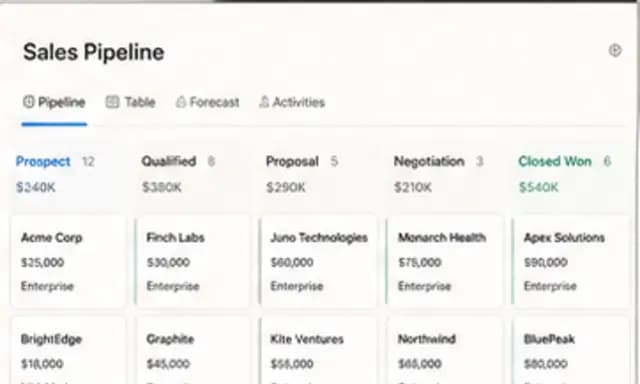
The creation brief
This template creates the relational foundation and the day-to-day views a small agency needs. Personalize the stages, services, ownership rules, and follow-up workflow before Huggle builds the database.
Creation recipe
Build a relational SQLite CRM database for a small creative agency. Create companies, contacts, opportunities, pipeline_stages, activities, proposals, users, and opportunity_owners tables with primary and foreign keys, constraints, timestamps, and practical indexes. Seed 15 companies, 24 contacts, 20 opportunities, and realistic activity history using fictional data. Add views for weighted pipeline, deals needing attention, upcoming follow-ups, win rate by source, and revenue by service. Include stage ordering, one primary contact per opportunity, proposal version/status, and validation-friendly fields. Make the default experience useful in grid and kanban views, with the pipeline board ordered New through Won/Lost.
What Huggle creates
- Relational schema with keys, constraints, and practical indexes
- Realistic fictional seed data across the core sales workflow
- Pipeline, follow-up, win-rate, and revenue views
What to bring
- 01Sales stages, services, and ownership model
- 02Fields required for companies, contacts, and opportunities
- 03Reporting and follow-up views your team uses
Overview
What is an agency CRM database?
An agency CRM database is a relational system that links companies, contacts, opportunities, activities, and proposals so a small services team can run a pipeline. Useful CRMs include stage order, ownership, and views for weighted pipeline, follow-ups, and revenue — not just a list of names.
What's included
What this AI CRM builder creates
Relational schema
Tables cover companies, contacts, opportunities, pipeline stages, activities, proposals, users, and opportunity owners, with primary and foreign keys, constraints, timestamps, and practical indexes. That is the difference between an AI database builder and a spreadsheet CRM. Relationships are enforced, so an opportunity cannot float without a company.
Seeded pipeline you can click through
The example seeds 15 companies, 24 contacts, 20 opportunities, and a realistic activity history using fictional data. You should replace that seed with your own records or start clean after you like the schema. A CRM with empty tables is harder to evaluate than one you can open in grid and kanban on day one.
Views operators actually open
Weighted pipeline, deals needing attention, upcoming follow-ups, win rate by source, and revenue by service are created as views. Salesforce’s State of Sales research has reported that only 37% of sales professionals strongly agree their organization fully utilizes its CRM — usually because the system has no views that match daily work. These five are the default daily work.
Stage order and ownership rules
The pipeline board is ordered New through Won/Lost, with one primary contact per opportunity and proposal version/status fields. You set the stages and services your agency actually sells. Ownership is a first-class table so a deal is not “someone’s” in a note.
Grid and kanban from the same records
The same opportunities render as a grid and as a kanban board. That is the practical test of a relational agency CRM: one source of truth, two ways to work. After generation you can ask Huggle to add a field, a view, or a validation rule instead of migrating to another tool.
Comparison
Huggle vs. a Notion or Airtable CRM template
Notion and Airtable ship popular agency CRM templates. Huggle generates a relational SQLite database with keys, seed data, and views from your stages and services.
| Criterion | Huggle | Static template |
|---|---|---|
| Data model | Tables with keys, constraints, and indexes in a real database | Linked records in Notion or Airtable, limited by the host tool |
| Setup | Generated from your stages, services, and ownership rules | A prebuilt base you duplicate and slowly rename |
| Day-one usefulness | Seeded fictional records plus pipeline and follow-up views | Often empty, or filled with the template author’s sample clients |
| Revision | Ask Huggle to extend the schema or add a view | Manual field and interface work in the host product |
| Portability | A SQLite CRM you can keep operating in Huggle | Locked to Notion, Airtable, or monday unless you export |
Sources
Sources and benchmarks
- Salesforce’s State of Sales research, as cited on Salesforce’s sales tools overview, found that only 37% of sales professionals strongly agree their organization fully utilizes its CRM. Salesforce, Sales Tools / State of Sales
- The same State of Sales research reports that sales teams use an average of 10 tools to close deals, which is why a small agency often needs one relational CRM rather than another disconnected app. Salesforce, “5 Proven Methods for Driving Sales Excellence”
How it works
From example to your finished artifact
- 01
Start from the proven recipe
Open Huggle with the complete creation brief already in the composer.
- 02
Add your context
Answer a few focused questions so the structure, content, and visual direction fit your situation.
- 03
Create and refine
Generate an editable artifact, then ask Huggle to revise it until it is ready to use.
Use the recipe
Make a version that belongs to your work.
Huggle will ask for the missing context, then create an editable database you can keep refining.
Frequently asked questions
- What is an AI database builder?
- An AI database builder creates a relational schema, seed data, and views from a brief. Huggle’s agency CRM template produces a SQLite database with companies, contacts, opportunities, activities, and proposals already linked.
- How is this different from a Notion or Airtable CRM template?
- Those templates live inside Notion or Airtable and use that product’s linked records. This template generates a relational database with keys and constraints, then gives you grid and kanban views on top. Use whichever model matches how you want to own the data.
- What tables does the agency CRM include?
- Companies, contacts, opportunities, pipeline stages, activities, proposals, users, and opportunity owners — with primary and foreign keys, timestamps, and indexes.
- What views are included?
- Weighted pipeline, deals needing attention, upcoming follow-ups, win rate by source, and revenue by service. The default board is ordered New through Won/Lost.
- Can I change the pipeline stages?
- Yes. Bring the stages, services, and ownership model your agency uses. Huggle builds the schema around those rules instead of forcing a generic sales process.
- Is the seed data real?
- No. The example uses fictional companies and activity history so you can click through a populated pipeline. Replace it with your records before anyone treats the numbers as operational.
- Can I edit the CRM after it is generated?
- Yes. The database is fully editable. You can add fields, change views, or ask Huggle to extend the schema.
- What information do I need to bring?
- Bring sales stages, services, the ownership model, required fields for companies, contacts, and opportunities, and the reporting or follow-up views your team actually uses.
- How do I use this agency CRM template?
- Open Huggle with the creation brief in the composer, replace the sample creative-agency process with yours, and submit. Inspect the kanban and the follow-up view first, then refine the schema until it matches how you sell.
Related templates
2 artifacts
Client strategy proposal
Present your plan, scope, and pricing in a client proposal.
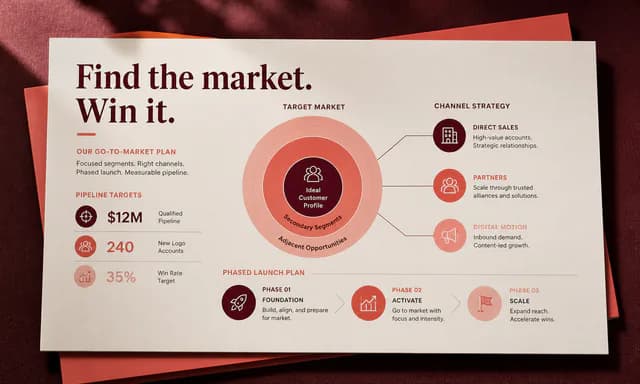
Client growth strategy deck
Present growth recommendations, costs, and a rollout plan.
Also explore consulting proposal template with diagnosis and pricing tiers and consulting growth strategy deck template.