Presentation deck template
Turn client facts into a growth strategy deck
Present growth recommendations, costs, and a rollout plan.
Make this with my informationOpens an editable creation brief. Nothing runs until you submit.
- Format
- Presentation deck
- Last updated
- August 31, 2026
- You bring
- 3 inputs
- By
- Huggle Editorial
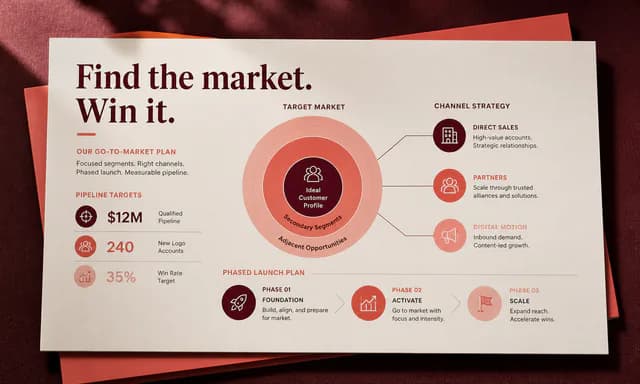
The creation brief
This template helps teams move from scattered client facts to a coherent recommendation. Huggle creates the narrative, charts, diagrams, and editable slides while keeping assumptions and fictional data clearly labeled.
Creation recipe
Create a 15-slide client-ready growth-strategy deck for Alder, a fictional 12-location fitness chain with flat memberships and inconsistent local marketing. Use this client-provided demo data: 18,400 active members, 4.1% monthly churn, 22% of new members from referrals, and large variation by location. Structure: executive takeaway, baseline, customer journey, diagnosis, three growth bets, local-versus-central operating model, experiment roadmap, economics, measurement, 90-day plan, risks, and decisions required. Make one idea per slide, use clean charts and simple diagrams, label assumptions, and avoid invented market research. Visual tone: confident consulting, warm neutral backgrounds, dark green accent.
What Huggle creates
- 15-slide narrative from diagnosis to required decisions
- Clean charts, diagrams, economics, and measurement plan
- 90-day roadmap with risks and operating model
What to bring
- 01Client situation and the facts you can substantiate
- 02Audience, decision, and preferred strategic direction
- 03Brand or presentation style preferences
Overview
What is a growth strategy deck?
A growth strategy deck is a consulting presentation that turns a small set of client facts into a recommendation the room can decide on. It typically runs from baseline and diagnosis through growth bets, economics, a 90-day plan, risks, and the decisions required.
What's included
What this AI presentation generator produces
Executive takeaway and baseline
Slide one states the recommendation. The baseline then shows the facts you can substantiate — in the example, 18,400 members, 4.1% monthly churn, and 22% of new members from referrals. Your deck should use the same discipline: no invented market research. The audience should understand the current business before they hear the bets.
Customer journey and diagnosis
A journey slide locates where growth leaks. The diagnosis slide names the few causes that matter — for Alder, flat memberships and inconsistent local marketing. One idea per slide keeps the conversation on a single claim. If a slide needs two ideas, it is two slides.
Three growth bets and an operating model
The middle of the deck proposes three bets and a local-versus-central operating model. That pairing is what operators actually argue about: not only what to try, but who owns it. Huggle draws simple diagrams so the model can be discussed without a separate org chart.
Economics, measurement, and a 90-day plan
Economics and measurement slides make the bets testable. The 90-day plan turns the recommendation into a sequence a team can staff. Pair this deck with the client strategy proposal when you also need a priced document, or with the runway model when the constraint is cash rather than narrative.
Risks, decisions, and visual tone
The close lists risks and the decisions the room must make. Visual direction in the example is confident consulting: warm neutrals, a dark green accent, clean charts. You can change that. The test of an AI slide deck generator is whether a partner can present the file the same day without rebuilding it in another tool.
Comparison
Huggle vs. a static consulting deck template
Canva, Gamma, and Beautiful.ai give you themes. This AI presentation generator writes a 15-slide argument from the facts you can stand behind.
| Criterion | Huggle | Static template |
|---|---|---|
| Starting point | A 15-slide narrative from diagnosis to required decisions | A theme pack or outline with empty content slides |
| Evidence | Charts and numbers from the facts you provide; assumptions labeled | Sample charts you have to replace one by one |
| Narrative | One idea per slide with a recommendation the room can accept or reject | You still write the story after you pick a look |
| Revision | Ask Huggle to rewrite for a new audience or add a slide | Manual slide edits in the deck tool |
| Honesty | The brief forbids invented market research | Placeholder statistics that are easy to ship by accident |
Sources
Sources and benchmarks
- PandaDoc found that documents with a clear visual hierarchy and at least one image or video were 32% more likely to close — the same discipline applies to a strategy deck you leave behind after a meeting. PandaDoc, “5 ways to increase the close rate of your proposal”
- Carta’s Q2 2025 data put the median wait between primary funding rounds at about 23 months, which is why a 90-day plan inside a longer cash reality is the decision most growth decks should force. Carta, State of Private Markets Q2 2025
How it works
From example to your finished artifact
- 01
Start from the proven recipe
Open Huggle with the complete creation brief already in the composer.
- 02
Add your context
Answer a few focused questions so the structure, content, and visual direction fit your situation.
- 03
Create and refine
Generate an editable artifact, then ask Huggle to revise it until it is ready to use.
Use the recipe
Make a version that belongs to your work.
Huggle will ask for the missing context, then create an editable slides you can keep refining.
Frequently asked questions
- What is an AI presentation generator?
- An AI presentation generator turns a brief into a complete slide deck — narrative, charts, and layout — instead of giving you a blank theme. Huggle starts from a finished consulting-style example and personalizes it with the facts you provide.
- What slides belong in a growth strategy deck?
- A practical sequence is executive takeaway, baseline, customer journey, diagnosis, three growth bets, operating model, experiment roadmap, economics, measurement, 90-day plan, risks, and decisions required. This template uses that structure across 15 slides.
- How is this different from Gamma or Canva templates?
- Those tools are strong at design systems and quick restyling. This template is built for the consulting argument: diagnosis, bets, economics, and a decision. You still get editable slides; the first draft is the story, not the theme.
- Can I change the length of the deck?
- Yes. The example is 15 slides. After generation you can ask Huggle to cut to an exec version or expand a section. Keep one idea per slide so the room can follow.
- Will the deck invent market research?
- The brief tells Huggle to avoid invented market research and to label assumptions. You should still verify every figure before you present.
- Can I edit the slides after they are generated?
- Yes. The result is a fully editable presentation. Refine it in Huggle or edit slides directly before you present or export.
- What information do I need to bring?
- Bring the client situation, the facts you can substantiate, the audience, the decision you need, a preferred strategic direction, and any brand or style preferences.
- How do I use this consulting presentation template?
- Open Huggle with the creation brief in the composer, replace Alder with your client facts, and submit. Review the takeaway and the decision slide first, then ask for revisions until you can present the deck without apology.
Related templates
2 artifacts
Client strategy proposal
Present your plan, scope, and pricing in a client proposal.
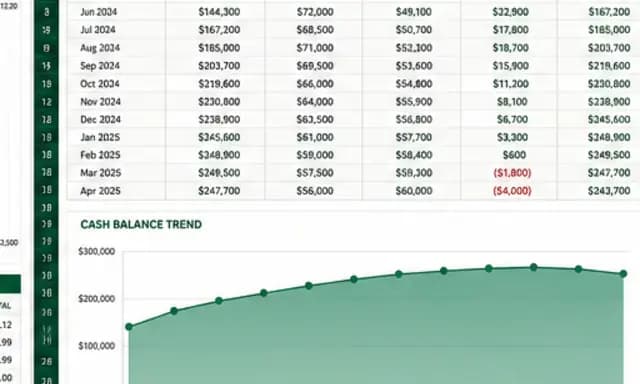
SaaS cash-flow and runway model
Forecast cash flow and runway with editable assumptions and formulas.
Also explore consulting proposal template with diagnosis and pricing tiers and SaaS financial model template with 24-month runway scenarios.