AI presentation generatorFinished, editable slide decks from a prompt
Huggle's AI presentation generator turns a short brief into a complete slide deck: a narrative arc, one idea per slide, charts that match the story, and speaker-ready structure. The deck opens as an editable presentation in your workspace, so you can change a slide, swap a chart, or ask Huggle to rewrite a section instead of rebuilding it in another tool. It runs on every frontier model under one subscription, and a free account with no card lets you generate your first deck.
Free to start, no card required. Paid plans from $10 a month with every frontier model included. See pricing.
01What you get
What Huggle's AI presentation generator produces
A finished presentation you can open, edit, and share, not raw model output you still have to assemble somewhere else.
A narrative, not a pile of title slides
Huggle writes the arc first, from context and diagnosis to recommendation and next steps, then lays it out one idea per slide. You get a deck you can present, not an outline you still have to think through.
Charts built from your numbers
Give Huggle the figures you can stand behind and it builds the charts and tables to match. Assumptions are labelled and the brief forbids invented market research, so the deck stays honest.
Editable slides, revised in place
Every deck opens as a real presentation in your workspace. Edit a slide directly, or ask Huggle to tighten a takeaway, rewrite for a different audience, or add a section, without regenerating the whole deck.
Every frontier model, one subscription
Choose Flash for a quick internal update or Max for a board-ready deck. Huggle routes across frontier models behind the scenes, so you never pick a vendor per task.
02Examples
What people generate with the AI presentation generator
Each example is a prompt you can open in the composer as written. Huggle asks for the details it needs before it builds anything.
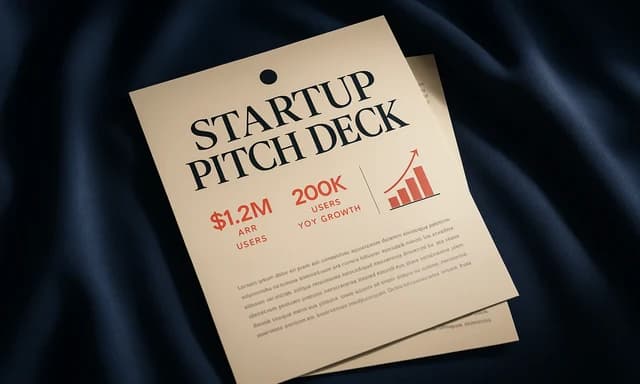
Startup pitch deck
01Problem, solution, traction, market, business model, team, and ask, in the order investors expect, with your metrics charted.
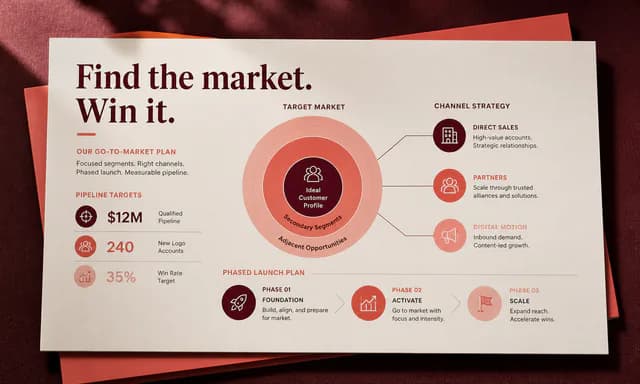
Client strategy deck
02Baseline, diagnosis, bets, economics, roadmap, risks, and the decisions you need from the room. Built for consultants and operators.
Class or lecture presentation
03A teaching deck with learning objectives, one concept per slide, worked examples, and a recap. Sources cited where you provide them.
Monthly board or team update
04KPIs against plan, what changed, what is at risk, and asks. Rebuild it each month from a new set of numbers in minutes.
03How it works
From a sentence to a finished presentation
Four steps, one workspace. The file is real from the first pass and stays editable for as long as you keep working on it.
- Step 1
Describe the outcome
Write a sentence or two about what you need, who it is for, and the facts you already have. Or open a template and swap in your own situation.
- Step 2
Answer a few questions
Huggle asks for the missing details it needs, such as audience, scope, numbers, and tone, so the first draft is specific to you rather than a generic template.
- Step 3
Watch the file take shape
Pick Flash for speed or Max for power. Huggle routes across frontier models and builds the artifact as a real file in the preview surface.
- Step 4
Edit, then share or export
Revise in place, ask Huggle to change a section, then share a link or export. The file stays editable; there is no transcript to copy out of.
04Comparison
Huggle vs. a slide theme or chat transcript
| Criterion | Huggle | Slide theme or chat app |
|---|---|---|
| What you get | A complete, editable deck with narrative, slides, and charts | A theme with empty placeholders, or bullet text you paste into slides yourself |
| Revisions | Edit a slide or ask Huggle to rewrite a section; the deck stays in one place | Re-prompt, copy the output, and rebuild the affected slides |
| Charts and data | Charts generated from the numbers you provide | Charts drawn by hand in the slide tool |
| Models | Every frontier model included; choose Flash or Max per task | One vendor's model, or none |
| Starting point | A blank prompt or a finished example deck from the template library | A blank template |
05Finished examples
Start from a presentation Huggle already made
Create coherent, presentation-ready decks with a strong narrative, purposeful visuals, and editable content. Every template opens the full brief in the composer so you swap in your own situation.

Presentation deck
Startup pitch deck
Turn a founder brief into a 12-slide pitch with problem, product, market, model, traction, ask, and the next raise.
Open template
Presentation deck
Client growth strategy deck
Create a consulting-style presentation with a sharp diagnosis, growth bets, economics, roadmap, risks, and decisions.
Open template
Presentation deck
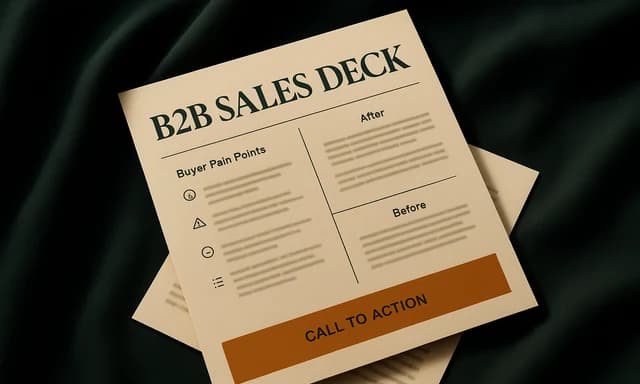
B2B sales deck
Turn a product and a buyer into a sales presentation with problem, proof, offer, and a clear ask.
Open template
Presentation deck
Monthly board update
Turn operating numbers into an eight-slide board update with highlights, metrics, cash, asks, and risks.
Open template06FAQ
AI presentation generator questions
01Can I edit the slides after Huggle generates them?
Yes. The result is a fully editable presentation in your workspace. You can edit slides directly or ask Huggle to change the structure, content, or charts, and the deck updates in place.
02How many slides can the AI presentation generator make?
You set the length in the prompt. Most decks land between eight and twenty slides; short internal updates and long lecture decks both work. If a deck runs long, ask Huggle to condense it.
03Does Huggle invent data or research for the deck?
No. Huggle builds charts from the numbers you provide and labels assumptions. If you ask for market context it will use web research and cite sources rather than fabricate figures, and you should verify anything you present.
04Is there a free AI presentation generator plan?
Yes. A free Huggle account includes an allowance with no card required, enough to generate a finished deck. Paid plans start at $10/month launch pricing and include every frontier model.
05How is this different from the slide templates?
The slide templates are finished example decks you can open and adapt, useful when you want to see the output first. The generator starts from your own brief. Both produce the same editable presentation artifact.
06Can Huggle turn a document or notes into a presentation?
Yes. Paste your notes, report, or outline into the prompt and ask for a deck. Huggle extracts the structure, writes one idea per slide, and builds charts from any numbers in the source.
Try the AI presentation generator
Describe the work once. Edit the file the moment it lands.
Start free with no card. Documents, decks, spreadsheets, LaTeX, databases, and websites, every frontier model included, from $10 a month when you upgrade.