Business document template
Create a client-ready strategy proposal
Present your plan, scope, and pricing in a client proposal.
Make this with my informationOpens an editable creation brief. Nothing runs until you submit.
- Format
- Business document
- Last updated
- August 31, 2026
- You bring
- 3 inputs
- By
- Huggle Editorial
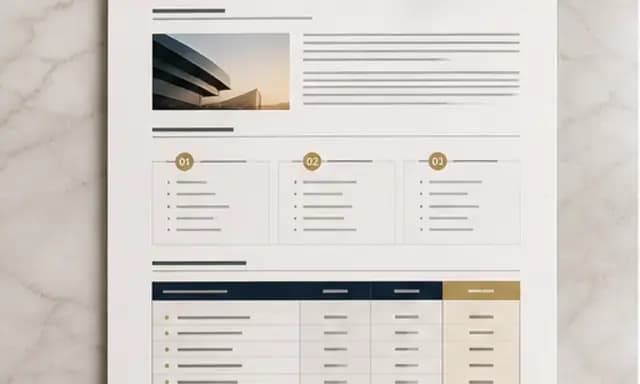
The creation brief
This template is designed for consultants and agencies that need a proposal with substance, not a generic cover page. Huggle uses your client facts to build a clear recommendation, commercial structure, and delivery plan.
Creation recipe
Create a polished client-ready strategy proposal for a fictional regional fitness chain called Alder. They have 12 locations, flat memberships, weak referral growth, and inconsistent local marketing. The proposal should include an executive summary, diagnosis, three growth opportunities, a 90-day scope in three phases, deliverables, timeline, roles, assumptions, risks, measurement plan, and pricing options of $35K, $55K, and $80K. Recommend the middle option and explain why. Use concise consulting-style writing, clear tables, strong headings, and a professional visual hierarchy. Do not invent market statistics or customer quotes; label all business figures as client-provided demo data.
What Huggle creates
- Executive summary and evidence-led diagnosis
- Three-phase scope with deliverables, owners, and timeline
- Tiered pricing, recommendation, assumptions, and risks
What to bring
- 01Client situation, goals, and known business facts
- 02Proposed scope, delivery window, and team roles
- 03Pricing options and preferred recommendation
Overview
What is a client strategy proposal?
A client strategy proposal is a consulting document that diagnoses a situation, recommends a scoped plan, and presents commercial options the buyer can accept. It is more than a cover letter: it includes an executive summary, phases, deliverables, pricing, risks, and how success will be measured.
What's included
What this AI proposal generator writes
Executive summary and diagnosis
The document opens with a one-page takeaway a buyer can forward, then a diagnosis grounded in the facts you provide. In the example, Alder is a 12-location fitness chain with flat memberships and weak referral growth. Your version should use only numbers and observations you can defend. The diagnosis is the reason the rest of the proposal exists.
Growth opportunities and 90-day scope
Three opportunities become a 90-day plan in three phases, with deliverables, timeline, and roles. That structure is what searchers mean when they look for a consulting proposal example with pricing tiers: not a list of services, but a sequence of work. You set the delivery window and who owns each phase; Huggle writes it as a table the client can scan.
Tiered pricing and a recommendation
The example offers $35K, $55K, and $80K packages and recommends the middle option with a short rationale. PandaDoc’s analysis of customer proposals found the highest conversion rates on documents about 6 to 8 pages — long enough to argue the work, short enough to finish. Your tiers should reflect real capacity, not decorative good-better-best labels.
Assumptions, risks, and measurement
Assumptions and risks keep the proposal honest when the client’s data is incomplete. The measurement plan states what you will track in the first 90 days. Huggle will not invent market statistics or customer quotes; the brief requires client-provided or clearly labeled demo figures. That constraint is there so the document can survive a skeptical reading.
Consulting-style writing and hierarchy
Headings, tables, and a professional visual hierarchy make the file usable in a live discussion. PandaDoc also reported that a proposal with photos or video is 32% more likely to close — use media only when you have approved visuals, and keep text blocks short enough to scan. The output is an editable document, not a locked PDF.
Comparison
Huggle vs. a static consulting proposal template
Proposal software gives you a beautiful empty document. This AI proposal generator writes a first draft from client facts, then leaves the file editable.
| Criterion | Huggle | Static template |
|---|---|---|
| Starting point | A complete proposal with diagnosis, scope, and priced options | Section titles and placeholder copy in PandaDoc, Proposify, or Word |
| Client specificity | Written from the facts you provide; fictional demo data is labeled | You rewrite every paragraph for each client |
| Commercial recommendation | Tiered pricing plus an explicit recommended package | A pricing table you still have to argue in a meeting |
| Revision | Ask Huggle to change scope, tone, or the recommended tier | Manual edits in the proposal editor |
| Reuse | The same recipe produces a new draft for the next client | A saved theme that does not interpret new facts |
Sources
Sources and benchmarks
- PandaDoc reported that a proposal with media — at least one image or video — is 32% more likely to close, based on analysis of its customer documents. PandaDoc, “5 ways to increase the close rate of your proposal”
- The same PandaDoc analysis found the highest conversion rates on proposals about 6 to 8 pages long. PandaDoc, “5 ways to increase the close rate of your proposal”
- PandaDoc also reported that sending a series of reminders is associated with a 30% higher chance of closing a proposal. PandaDoc, “5 ways to increase the close rate of your proposal”
How it works
From example to your finished artifact
- 01
Start from the proven recipe
Open Huggle with the complete creation brief already in the composer.
- 02
Add your context
Answer a few focused questions so the structure, content, and visual direction fit your situation.
- 03
Create and refine
Generate an editable artifact, then ask Huggle to revise it until it is ready to use.
Use the recipe
Make a version that belongs to your work.
Huggle will ask for the missing context, then create an editable document you can keep refining.
Frequently asked questions
- What should a consulting proposal include?
- A useful consulting proposal includes an executive summary, a diagnosis, the work you will do, a timeline, roles, pricing options, assumptions, risks, and a measurement plan. This template is built around that outline so the document can support a buying decision.
- How is an AI proposal generator different from proposal software?
- Proposal software stores templates, tracks opens, and collects signatures. An AI proposal generator writes the first draft from your client facts. Huggle does the writing step and leaves you an editable document. You can still move the finished file into whatever sending or e-sign tool you already use.
- How long should a client strategy proposal be?
- PandaDoc’s customer data found the highest conversion rates on proposals about 6 to 8 pages. This template aims for that range: enough room for diagnosis and commercial options, short enough that a busy buyer can finish it.
- Can I change the pricing tiers?
- Yes. The example uses $35K, $55K, and $80K and recommends the middle option. Bring the packages you actually sell and the recommendation you want Huggle to argue. The structure stays; the numbers become yours.
- Will Huggle invent market research for the client?
- No. The brief tells Huggle not to invent market statistics or customer quotes and to label demo figures. You should still review every number before the document leaves your hands.
- Can I edit the proposal after it is generated?
- Yes. The result is a fully editable document. You can keep refining it in Huggle or edit it directly before you send it.
- What information do I need to bring?
- Bring the client situation, goals, known business facts, proposed scope, delivery window, team roles, pricing options, and the package you want to recommend. Huggle asks for anything that is missing.
- How do I use this consulting proposal template?
- Open Huggle with the creation brief in the composer, replace Alder with your client, and submit. After generation, review the recommendation and commercial tables, then ask for revisions until the document matches the engagement you can deliver.
Related templates
2 artifacts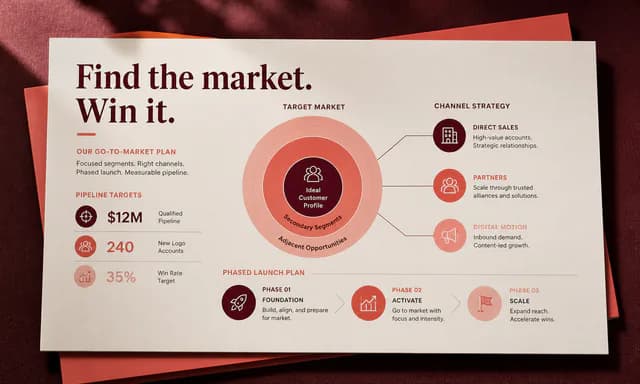
Client growth strategy deck
Present growth recommendations, costs, and a rollout plan.
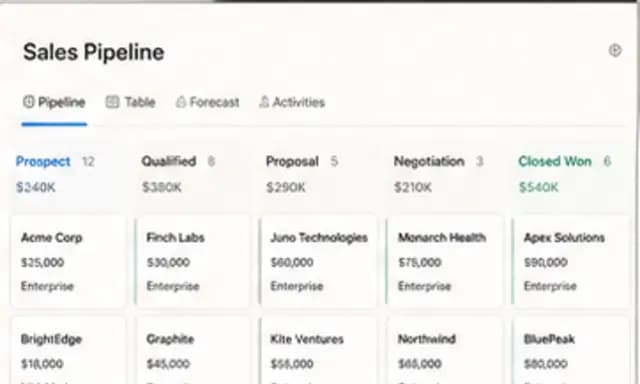
Agency CRM
Track contacts, deals, and follow-ups in a connected database.
Also explore consulting growth strategy deck template and agency CRM database template with pipeline views.