Huggle vs Claude: The Best Claude Alternative for Finished Work
Huggle is the best Claude alternative when you want the finished file rather than a conversation about it, and every frontier model rather than one vendor's. Claude is Anthropic's assistant: chat, artifacts, file creation, and code execution on Free, with Claude Code, Projects, and Research on Pro from $20 per month. Huggle routes each request across frontier models by capability tier and delivers an editable document, deck, spreadsheet, LaTeX paper, database, or website, free with no card and from $10 per month.
By Huggle Editorial, updated . Claude pricing and features verified against official sources. Where Claude is the better tool, this page says so.
01At a glance
Huggle vs Claude at a glance
The short version. The "Edge" column names which product is stronger for that criterion, or says so when it depends on the job.
Huggle from
$10/mo
Flash plan, launch price ($25/month list). Free plan needs no card.
Claude from
$20/mo
Pro, more usage than Free; usage limits still apply.
12 criteria compared
5 Huggle · 2 Claude
- Huggle leads
- 5
- Comparable or depends
- 5
- Claude leads
- 2
Verified
3 official sources, linked in the ledger.
| Criterion | Huggle | Claude | Edge |
|---|---|---|---|
| Best for | People who need a finished, editable document, deck, sheet, paper, database, or site | Developers and knowledge workers who want a strong assistant, Claude Code, and connectors in one subscription | Depends on the job |
| Core output | Editable artifacts in a workspace: documents, decks, spreadsheets, LaTeX, databases, websites, apps, images, and video | Conversations, artifacts, and files created through code execution; Cowork returns decks, documents, and spreadsheets for review | Huggle |
| Model access | Every frontier model across labs; choose Flash or Max and Huggle routes the request | Anthropic's models only: Sonnet and Haiku on Free, Opus on Pro and Max | Huggle |
| Coding | Builds websites and small apps that run in a sandbox and publish to a URL | Claude Code, Design, and a coding-focused model family included on Pro | Claude |
| Free plan | Free allowance, no card required | $0 with web search, memory, artifacts, file creation, and connectors; usage limits apply | Comparable |
| Entry paid price | Flash $10/month launch price ($25 list); Starter $20/month | Pro $20/month, or $17/month on annual billing | Huggle |
| Integrations | Connectors to GitHub, Linear, and Google Workspace for agents and automations | Slack, Google Workspace, Microsoft 365, Chrome, desktop extensions, and any remote MCP server | Claude |
| Editing after generation | Every artifact stays editable in the workspace | Re-prompt in the conversation or download the file and edit elsewhere | Huggle |
02Two different bets
Claude sells breadth of capability. Huggle sells the finished file.
Both products put frontier models to work. They disagree about what should come out the other end, and that shapes everything from pricing to how you edit.
What is Claude?
Anthropic positions Claude as "the AI for problem solvers" and "your thinking partner" across chat, code, and delegated tasks.
Claude is Anthropic's AI assistant, available on the web, iOS, Android, and desktop. The Free plan includes chat with the Sonnet and Haiku models, web search, memory across conversations, artifacts, file creation with code execution, desktop extensions, and connectors to Slack, Google Workspace, and remote MCP tools. Pro adds more usage, the Opus model, unlimited Projects, Research, Claude Code, Claude Cowork for delegated and scheduled tasks, Claude Design, Claude Science, Claude in Chrome, and Claude for Microsoft 365. Max buys five or twenty times the Pro usage with higher output limits and priority access. Every plan uses Anthropic's own models with a 200k context window.
Claude is best for
- Developers who want Claude Code and a strong coding model in the same subscription
- Knowledge workers who live in chat and want long reasoning, memory, and Projects that hold their documents
- Teams already on Slack, Google Workspace, or Microsoft 365 who want an assistant connected to those tools
- People who delegate recurring tasks and want Cowork to hand back a deck, document, or spreadsheet for review
Strengths
- A generous free tier: web search, memory, artifacts, file creation with code execution, and connectors at $0
- Claude Code, Cowork, Design, and Science included on Pro at $20 per month ($17 on annual billing)
- Projects, Research, and a 200k context window for working across many documents in one place
- Connectors to Slack, Google Workspace, Microsoft 365, and any remote MCP server, plus desktop and Chrome apps
- Max offers 5x or 20x Pro usage with priority access when you need a lot of a frontier model
Limitations
- One vendor's models only. When another lab has the better model for a task, you switch products rather than tiers
- The interface is a conversation. Files are created through code execution and artifacts, then downloaded; there is no workspace that keeps a deck, a sheet, and a paper editable side by side
- Usage limits apply on every plan, including Pro, and the published answer to hitting them is a Max plan from $100 per month
- Team features such as SSO, central billing, and admin controls are reserved for Team and Enterprise plans, not the individual tiers
What is Huggle?
The AI workspace for everyday work. Artifacts over chat.
Huggle is the AI workspace for everyday work. You describe the outcome once and Huggle researches, drafts, and delivers a finished, editable artifact: a document, slide deck, spreadsheet, LaTeX paper, database, image, video, or a live website. Instead of choosing a model vendor you choose a capability tier, Flash for speed or Max for power, and Huggle routes across frontier models behind the scenes. Agents and scheduled automations handle recurring work through connectors such as GitHub, Linear, and Google Workspace.
Huggle is best for
- Students who need essays, homework documents, decks, and study material they can hand in
- Researchers and academics who need LaTeX papers, literature summaries, figures, and data tables that compile
- Consultants and freelancers producing client decks, proposals, reports, and trackers
- Marketers and creators who need landing pages, campaign assets, images, and video
- Small teams and operators who want recurring work to run on autopilot through agents and scheduled automations
Strengths
- Artifacts over chat: every request ends as a real file you can present, publish, or export, not a transcript to copy elsewhere
- Every frontier model under one subscription, routed by capability tier so you never pick a vendor per task
- Editing is part of the workflow: revise the structure, content, and layout of the artifact in place instead of re-running the whole job
- Predictable pricing with a free plan that needs no card, a $10/month launch tier, and dollar-denominated included credits on paid plans
- A public template library and free AI tools so you can see the finished output before you sign up
- Built for academic work: LaTeX that compiles, citation generators, thesis and lab-report templates
Limitations
- Huggle is a workspace first, not a general-purpose autonomous agent; it will not place phone calls or operate arbitrary third-party websites on your behalf
- Media generation covers images, video, and voice, but Huggle does not try to bundle dozens of named image and video models
- Huggle does not publish a per-seat team plan with SSO today
Artifacts Huggle produces
- 01Documents, essays, and reports
- 02Slide decks and presentations
- 03Spreadsheets with real formulas and formatting
- 04LaTeX papers that compile, with figures, tables, and bibliographies
- 05Databases and structured trackers
- 06Live websites and small apps deployed to a URL
- 07Images, video, and voice
03Feature by feature
Huggle vs Claude: feature comparison
Criterion by criterion. Claude details reflect its official pricing and help pages as of September 16, 2026.
- Huggle leads
- 5
- Comparable or depends
- 5
- Claude leads
- 2
| Criterion | Huggle | Claude | Edge |
|---|---|---|---|
| Product shape | A workspace organized around the artifact you need to hand in: research, generation, editing, and delivery in one place. | An assistant organized around the conversation: chat, artifacts, Projects, and agents that report back to the thread. | Depends on the job |
| Documents and reports | Structured documents you edit section by section and export; proposal, report, and business-plan templates are public. | Drafts in chat or as artifacts; file creation with code execution produces downloadable documents. | Huggle |
| Slides | Editable decks with a narrative arc and charts built from your numbers. | Cowork on Pro can hand back a deck for review; the deck is a file, not an editable canvas in Claude. | Huggle |
| Spreadsheets | Workbooks with live formulas, assumptions, and scenarios that stay editable in the workspace. | Data analysis and visualization in chat; spreadsheet files via code execution. | Huggle |
| LaTeX and academic work | LaTeX papers, theses, and lab reports that compile in the workspace, plus free citation and BibTeX generators. | Writes LaTeX source in chat; compiling and managing the project happens in your own editor. | Huggle |
| Websites and apps | Responsive sites and small apps built, edited in place, and published to a live URL. | Claude Code and Claude Design on Pro for software work in your own repository and tooling. | Depends on the job |
| Coding | Code inside artifacts and app builds; not a developer tool. | Claude Code, a terminal coding agent, is included on Pro and Max. | Claude |
| Research | Research is the first step of every artifact: gather sources, then draft the document, deck, or paper. | Web search on every plan and the Research feature on Pro, returning a written answer in the thread. | Comparable |
| Model choice | Every frontier model on every paid plan; pick a capability tier, not a vendor. | Anthropic models only, with Opus reserved for paid plans. | Huggle |
| Agents and automation | Agents and scheduled automations with connectors to GitHub, Linear, and Google Workspace. | Cowork schedules daily, weekly, or monthly tasks; connectors to Slack, Google Workspace, Microsoft 365, and MCP. | Claude |
| Pricing model | Fixed monthly price with a dollar-denominated allowance; overage continues through wallet credits. | Fixed monthly price with usage limits; more usage means stepping up to Max from $100. | Depends on the job |
| Try before you pay | Free plan with no card, a public template gallery, and free AI tools that run without an account. | Free plan with search, memory, artifacts, file creation, and connectors. | Comparable |
04Pricing
Huggle vs Claude pricing
Published list prices in USD. Huggle prices come from its published pricing sheet (huggle.ai/pricing.md); Claude prices come from its official pricing pages, linked in the sources below.
Huggle plans
5 tiers- Every paid plan includes every frontier model; you pick a Flash or Max capability tier per request instead of a vendor.
- Each paid plan includes a monthly credit allowance in dollars. Usage beyond it continues through wallet credits rather than stopping your work.
- Annual billing is charged at the price of ten months, so every plan is effectively two months free on annual.
- The free account has a real allowance and asks for no card, so you can generate a finished document or deck before deciding.
Claude plans
3 tiers- Pro is $20 per month billed monthly or $17 per month with an annual subscription ($200 billed up front). Max starts at $100 per month for 5x Pro usage, with a 20x option above it.
- Usage limits apply on all plans, and Anthropic states that prices and plans are subject to change. Prices shown exclude tax.
- Team and Enterprise plans, which add SSO, central billing, admin controls, and compliance features, are priced separately and not covered on this page.
- All individual plans use Anthropic's models only; Opus is available on Pro and Max, Sonnet and Haiku on every plan.
05The verdict
Should you choose Huggle or Claude?
Neither answer is wrong. Match the tool to the shape of the work you do most weeks.
Choose Huggle if
4 signals- You want the finished, editable file rather than a chat that you turn into a file yourself
- You want every frontier model and would rather choose a capability tier than commit to one lab
- Your work is documents, decks, spreadsheets, papers, databases, or websites more often than code
- You want a deck, its spreadsheet, and its report to stay editable side by side in one workspace
Stay with Claude if
4 signals- You want Claude Code and a coding model in the same subscription as your assistant
- Your workflow is conversational and long context, memory, and Projects matter more than editable outputs
- You need connectors to Slack, Microsoft 365, or remote MCP tools, or the Chrome and desktop apps
- You specifically prefer Anthropic's models and want 5x or 20x usage of them on Max
06The long read
Huggle vs Claude, in depth
- 01What is Claude?
- 02What is Huggle?
- 03Claude pricing vs Huggle pricing
- 04Where Claude is the better choice
- 05Where Huggle is the better choice
What is Claude?
Claude is Anthropic's assistant, and its individual plans are among the most complete on the market. The Free plan includes web search, memory across conversations, artifacts, file creation with code execution, desktop extensions, and connectors to Slack, Google Workspace, and remote MCP servers. Pro, at $20 per month or $17 on annual billing, adds the Opus model, unlimited Projects, Research, Claude Code, Claude Cowork for delegated and scheduled tasks, Claude Design, Claude Science, Claude in Chrome, and Claude for Microsoft 365. Max buys five or twenty times the usage from $100 per month.
Everything in Claude runs on Anthropic's models, and the product is a conversation. That is a real strength when the work is thinking, coding, or analysis with a single strong model. It is a constraint when the deliverable is a file: Claude will write it, and Cowork will hand it back for review, but the deck, the spreadsheet, and the paper do not live as editable artifacts inside Claude.
What is Huggle?
Huggle is the AI workspace for everyday work, built around artifacts over chat. You describe the outcome, and Huggle researches, drafts, and delivers the file: a document, a slide deck, a spreadsheet with live formulas, a LaTeX paper that compiles, a database, an image or video, or a website deployed to a URL. Each opens as an editable artifact, so the third slide, the assumptions tab, or the bibliography is changed in place rather than re-prompted.
Huggle includes every frontier model on every paid plan and routes each request by a Flash or Max capability tier, so you never pick a vendor; when a lab ships a better model, it shows up in your existing plan. Agents and scheduled automations keep recurring work moving through connectors such as GitHub, Linear, and Google Workspace. Pricing is a fixed monthly fee with a dollar-denominated allowance on paid plans, and the free plan needs no card.
Claude pricing vs Huggle pricing
Claude Free is $0 with usage limits. Pro is $20 per month billed monthly or $17 per month on an annual subscription ($200 up front), and Max starts at $100 per month for 5x Pro usage with a 20x option above it. Anthropic notes that usage limits apply on every plan and that prices and plans may change; Team and Enterprise are priced separately.
Huggle Free is $0 with no card. Flash is $10 per month at launch ($25 list), Starter is $20 with $35 of included credits, Pro is $40 with $60, and Ultra is $100 with $120, with annual billing at the price of ten months and every frontier model on every paid plan. At $20, Claude Pro and Huggle Starter cost the same; the difference is what the money buys. Claude Pro buys more of Anthropic's models plus Claude Code and Cowork. Huggle Starter buys access to every lab's frontier models and a workspace that keeps the output editable.
Where Claude is the better choice
Claude is the better choice for developers and for conversational depth. Claude Code on Pro turns the subscription into a coding agent in your terminal, and Claude Design and Science extend that to adjacent work. Projects, a 200k context window, and memory make it a strong place to think through a large body of material. Connectors to Slack, Microsoft 365, Google Workspace, Chrome, and any remote MCP server reach further into existing tools than Huggle's current integrations. And if you specifically want Anthropic's models, Max sells more of them than any other consumer plan.
Where Huggle is the better choice
Huggle is the better choice when the job ends in a file. The deck, the spreadsheet with working formulas, the compiled LaTeX paper, the database, and the live website are first-class artifacts that stay editable in the workspace, not downloads from a thread. Model routing across labs means you are never locked to one vendor's roadmap or paying a second subscription to reach a model Claude does not offer. The free plan carries a recurring allowance, and paid plans start lower at $10. For students, consultants, operators, and anyone whose week is documents rather than pull requests, that is the shorter path from brief to deliverable.
07In practice
Where Huggle replaces Claude
Four everyday jobs, each with the public templates and free tools you can try before creating an account. The stills are real template output.
 Business document
Consultants
01proposal, deck, and model from one brief
Turn a client brief into the proposal, the strategy deck, and the budget spreadsheet, each editable in place.
 Compiled LaTeX thesis
Students and researchers
02papers that compile
Draft a thesis or research paper in LaTeX with a BibTeX bibliography, then edit the compiled project in the workspace.
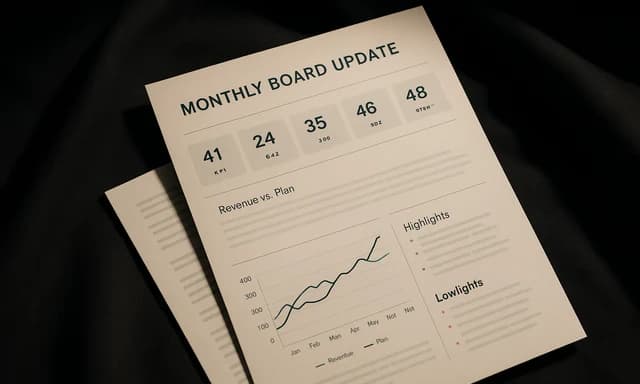 Presentation deck
Operators
03board update plus the numbers behind it
Build the monthly board update and the operating budget that feeds it, and keep both current from one workspace.
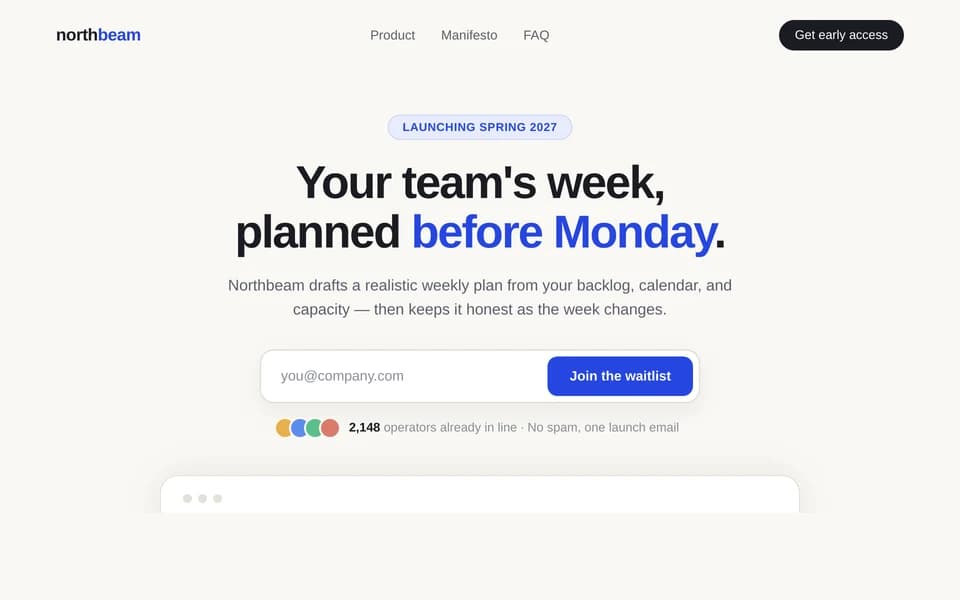 Pre-launch website
Founders
04launch page and business plan
Publish a waitlist landing page to a live URL and write the one-page business plan that goes with it.
08Making the move
Switching from Claude to Huggle
Five steps, and nothing you generated elsewhere is lost. Most people run one real week of work on the free plan before touching a paid subscription.
- 1
Collect the documents and files you have created with Claude; exported files and copied artifacts work as source material in Huggle.
- 2
Create a free Huggle account (no card) and describe the deliverable you would normally have asked Claude to draft.
- 3
Choose Flash for quick work or Max for the hardest problems; Huggle routes across frontier models, including Anthropic's, without a model picker.
- 4
Open the result as an editable document, deck, spreadsheet, LaTeX project, database, or website, and change it in place instead of re-prompting.
- 5
Keep Claude Pro alongside Huggle if Claude Code is central to your work; drop it once the work that remains is documents and deliverables.
09FAQ
Huggle vs Claude: frequently asked questions
Straight answers to the questions people type into search and into AI assistants. Prices are the ones verified on September 16, 2026.
01What is the best alternative to Claude?
It depends on what you want from an assistant. For coding with Claude Code and deep conversational work, Claude is hard to beat. If you want every frontier model and a finished, editable document, deck, spreadsheet, paper, database, or website instead of a chat, Huggle is the alternative built for that, with a free plan and no card.
02Is Claude free?
Yes. Claude's Free plan includes chat on web, mobile, and desktop, web search, memory, artifacts, file creation with code execution, desktop extensions, and connectors, with usage limits. Huggle's free plan also needs no card and includes an allowance across every artifact type.
03How much does Claude cost compared with Huggle?
Claude: Free; Pro $20 per month or $17 per month on annual billing ($200 up front); Max from $100 per month for 5x Pro usage, with a 20x option. Huggle: Free; Flash $10 per month launch price ($25 list), Starter $20, Pro $40, Ultra $100, with annual billing at ten months. Prices verified September 2026.
04Does Huggle use Claude's models?
Huggle routes across frontier models from multiple labs by capability tier. You choose Flash or Max for the request and Huggle selects the model, so you are not tied to one vendor and do not maintain a separate subscription per lab.
05Can Claude create documents, slides, and spreadsheets?
Yes. Claude can create files and execute code on every plan, and Claude Cowork on Pro can hand back a deck, document, or spreadsheet for review. The difference is that those are files you download and edit elsewhere; in Huggle the deck, sheet, or document stays an editable artifact in the workspace.
06Does Claude have something like Huggle's agents?
Claude Cowork on Pro lets you delegate a task, connect data, and schedule it daily, weekly, or monthly, with the result returned for review. Huggle's agents and scheduled automations do similar recurring work and deliver the output as an editable artifact in the workspace.
07Is Claude or Huggle better for students?
Claude is a strong tutor and writing partner in chat. Huggle is built for the deliverables: LaTeX papers and theses that compile, lab reports, literature reviews, and free citation and BibTeX generators, all editable in one workspace with a free plan.
08Can I switch from Claude to Huggle without losing work?
Yes. Files created with Claude and text copied from artifacts work as source material in Huggle, where the result opens as an editable artifact. The free plan lets you test the workflow before changing any subscription.
10Sources and methodology
Every claim on this page has a receipt
We compare published capabilities and list prices, not benchmarks or star ratings. Claude facts were checked against the official pages below on September 16, 2026.
- 01Plans & PricingAnthropic · accessed
- 02The AI for Problem Solvers | ClaudeAnthropic · accessed
- 03Huggle pricingHuggle · accessed
Primary sources only
Claude claims come from its own pricing, help center, and product pages. Nothing is paraphrased from round-ups.
Dated, re-verified
Every figure carries the date it was checked. When Claude changes a price or a plan, the date moves with it.
We say when they win
2 of 12 criteria go to Claude above. A comparison that never loses a row is an advertisement.
Huggle facts come from its published pricing sheet (huggle.ai/pricing.md) and the product itself. If something is out of date, use the contact link in the footer and we will correct it.
The Claude alternative for finished work
Describe the work once. Edit the file the moment it lands.
Start free with no card. Documents, decks, spreadsheets, LaTeX, databases, and websites, every frontier model included, from $10 a month when you upgrade.