Compiled LaTeX paper template
Create a complete LaTeX research paper that compiles
Create a LaTeX research paper with results, citations, and a PDF.
Make this with my informationOpens an editable creation brief. Nothing runs until you submit.
- Format
- Compiled LaTeX paper
- Last updated
- August 31, 2026
- You bring
- 3 inputs
- By
- Huggle Editorial

The creation brief
This template demonstrates Huggle’s artifact-first academic workflow: the source and compiled result are created together. Use your actual study design and data, then review all claims and citations before publication.
Creation recipe
Create a complete LaTeX research-paper draft titled ‘The Effect of Async Status Updates on Meeting Load.’ Use an academic article layout with abstract, introduction, related-work placeholder section, methods, results, discussion, limitations, conclusion, acknowledgments, and references. Use only this fictional experiment data: 24 teams, eight-week study, treatment teams reduced recurring status meetings from 3.8 to 2.4 per week, control teams changed from 3.7 to 3.5, and self-reported coordination clarity rose from 5.9 to 7.1 out of 10. Include one results table, one TikZ or pgfplots figure, an equation for the difference-in-differences estimate, cross-references, and a small valid bibliography with placeholder entries clearly marked. Ensure it compiles successfully.
What Huggle creates
- Complete academic paper structure in editable LaTeX
- Results table, plotted figure, equation, and cross-references
- Valid bibliography placeholders and compiled PDF
What to bring
- 01Study question, methods, and verified results
- 02Required paper format or publication constraints
- 03Approved references and author information
Overview
What is an AI LaTeX generator?
An AI LaTeX generator turns a plain-English study brief into editable LaTeX source and a compiled PDF. A useful template includes the academic sections, at least one table, one figure, one equation, cross-references, and a bibliography that does not break the build.
What's included
What this LaTeX research paper template includes
Full article structure
The draft uses a standard academic layout: abstract, introduction, related-work placeholder, methods, results, discussion, limitations, conclusion, acknowledgments, and references. That skeleton is what most LaTeX templates give you empty. Huggle fills it from your study question so you are editing a paper, not a class file.
Results table and figure
The example uses a fictional eight-week study of 24 teams and includes one results table plus a TikZ or pgfplots figure. Your paper should use verified results only. The point of generating the table and figure in source is that they stay editable and compile with the rest of the document.
Equation and cross-references
The brief asks for a difference-in-differences estimate as a real equation, plus cross-references that resolve. This is the test of an AI research paper generator: not whether it can write academic-sounding prose, but whether labels, refs, and math survive a compile.
Bibliography placeholders
A small valid bibliography ships with placeholder entries clearly marked. You replace them with approved references. Do not submit a draft that still contains placeholder citations. Huggle will not invent a literature for you; related work stays a section you must own.
Compiled PDF beside the source
The workflow is artifact-first: you get the .tex and a PDF that compiled. Overleaf-style templates stop at the empty project. Here the first pass is a complete draft you can revise in source or by asking Huggle to rewrite a section, then compile again.
Comparison
Huggle vs. a blank Overleaf LaTeX template
A journal class file is a starting point. This AI LaTeX generator produces a compilable draft with table, figure, equation, and references already in the source.
| Criterion | Huggle | Static template |
|---|---|---|
| Starting point | A complete paper draft plus compiled PDF | An empty article class with section headings |
| Figures and tables | One results table and one plotted figure generated in source | You write TikZ or import graphics yourself |
| Math | An equation with a label and cross-reference that should resolve | You add math once the prose exists |
| Bibliography | A small valid .bib with placeholders clearly marked | An empty bibliography you populate later |
| Honesty | Fictional study data is labeled; you replace it with verified results | No data at all — easier to leave unfinished |
Sources
Sources and benchmarks
- Carta’s Q2 2025 report is a reminder that operators and researchers alike now work on longer cycles — the median primary-round interval was 696 days — so a paper draft that compiles on the first pass saves calendar time you cannot get back. Carta, State of Private Markets Q2 2025
How it works
From example to your finished artifact
- 01
Start from the proven recipe
Open Huggle with the complete creation brief already in the composer.
- 02
Add your context
Answer a few focused questions so the structure, content, and visual direction fit your situation.
- 03
Create and refine
Generate an editable artifact, then ask Huggle to revise it until it is ready to use.
Use the recipe
Make a version that belongs to your work.
Huggle will ask for the missing context, then create an editable latex you can keep refining.
Frequently asked questions
- What is an AI LaTeX generator?
- It is a tool that writes LaTeX source from a brief and, in Huggle’s case, compiles it. You get an editable .tex file and a PDF, not a chat message you paste into Overleaf by hand.
- Will the paper actually compile?
- The template brief requires a successful compile, including a table, figure, equation, cross-references, and a small bibliography. You should still compile locally or in Huggle after you change citations or packages.
- Can I use my own study instead of the async-status example?
- Yes. The example study is fictional and labeled as such. Bring your question, methods, and verified results. Do not publish the demo numbers as if they were real.
- Does Huggle invent citations?
- The brief asks for placeholder bibliography entries that are clearly marked. You must replace them with references you have actually read. Treat any citation you did not supply as unverified.
- What sections does the research paper include?
- Abstract, introduction, related-work placeholder, methods, results, discussion, limitations, conclusion, acknowledgments, and references — plus one table, one figure, and one equation.
- Can I edit the LaTeX after it is generated?
- Yes. The source is fully editable. You can revise in Huggle, edit the .tex directly, and compile again before you submit anywhere.
- What information do I need to bring?
- Bring the study question, methods, verified results, any required format or venue constraints, approved references, and author information.
- How do I use this LaTeX research paper template?
- Open Huggle with the creation brief in the composer, replace the fictional experiment with your study, and submit. Review every claim, table, and citation, then compile before you share the PDF.
Related templates
2 artifacts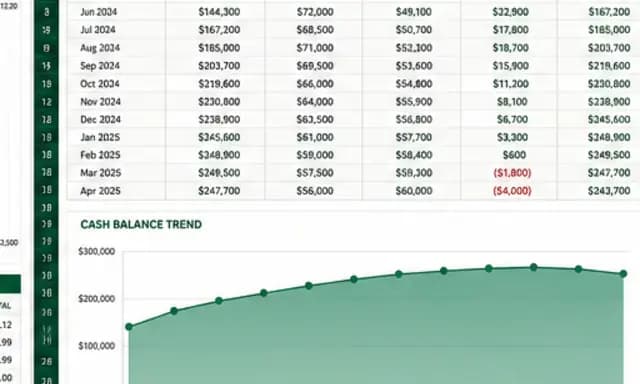
SaaS cash-flow and runway model
Forecast cash flow and runway with editable assumptions and formulas.
Client strategy proposal
Present your plan, scope, and pricing in a client proposal.
Also explore SaaS financial model template with 24-month runway scenarios and consulting proposal template with diagnosis and pricing tiers.