Working spreadsheet template
Build a 24-month SaaS cash-flow and runway model
Forecast cash flow and runway with editable assumptions and formulas.
Make this with my informationOpens an editable creation brief. Nothing runs until you submit.
- Format
- Working spreadsheet
- Last updated
- August 31, 2026
- You bring
- 3 inputs
- By
- Huggle Editorial
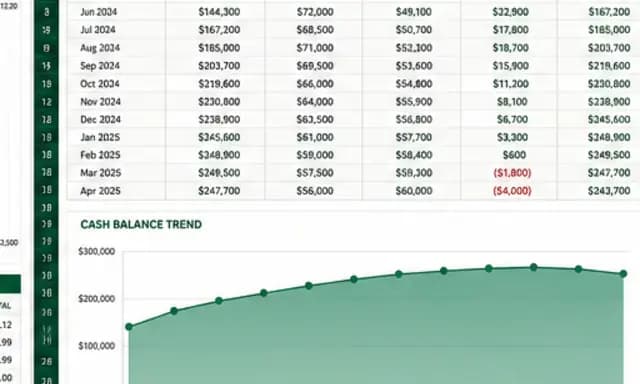
The creation brief
This template turns your operating assumptions into a working spreadsheet rather than a static projection. It asks for the inputs that matter, connects the formulas, and produces scenarios you can inspect and revise.
Creation recipe
Build a 24-month SaaS cash-flow and runway model starting January 2027. Opening cash is $2.4M; opening MRR is $184,200; base monthly MRR growth is 7%; gross margin is 81%; payroll begins at $210K/month and grows 2% quarterly; non-payroll operating expense is $74K/month; annual software renewals of $90K occur in March; and a $250K hiring step-up begins in July. Create Assumptions, Monthly Model, Scenarios, and Dashboard sheets. Include Base, Conservative, and Aggressive cases; formulas for revenue, COGS, gross profit, burn, closing cash, and runway; a cash chart; a runway warning; and clearly highlighted editable inputs. Use consistent currency/percentage formats and document every assumption.
What Huggle creates
- Assumptions, monthly model, scenarios, and dashboard sheets
- Connected revenue, margin, burn, cash, and runway formulas
- Scenario controls, cash chart, and runway warning
What to bring
- 01Opening cash, revenue, growth, and gross margin
- 02Payroll, operating costs, renewals, and hiring plans
- 03Scenario assumptions and planning horizon
Overview
What is a SaaS cash-flow and runway model?
A SaaS cash-flow and runway model is a spreadsheet that projects monthly revenue, costs, burn, and remaining cash so you can see how many months the business can operate. Runway is typically closing cash divided by net monthly burn. A useful model lets you change assumptions and watch the forecast update.
What's included
What this AI financial model generator builds
Assumptions sheet
Opening cash, opening MRR, growth rate, gross margin, payroll, operating expense, renewals, and hiring step-ups live on a dedicated sheet with highlighted inputs. That is the difference between a startup runway calculator you can operate and a PDF of someone else’s forecast. Document every assumption on this sheet so a teammate can see what the model believes.
24-month monthly model
The monthly sheet connects revenue, COGS, gross profit, burn, closing cash, and runway with formulas rather than pasted values. The example starts January 2027 with $2.4M cash and $184,200 MRR. Your version should use your actual opening balances. Twenty-four months is long enough to see a hiring plan and a renewal cycle without pretending you can forecast year five.
Base, Conservative, and Aggressive scenarios
A single forecast is a story. Three cases show what happens if growth or costs miss. Carta’s Q2 2025 State of Private Markets report put the median wait between primary funding rounds at 696 days — about 23 months — which is why a two-year window is the planning horizon most operators actually need. Scenario controls belong on their own sheet so you do not overwrite the base case.
Dashboard, cash chart, and runway warning
The dashboard should answer the questions a board meeting starts with: cash, burn, runway, and whether the plan funds itself. A cash chart and a runway warning make the breach visible before it is a surprise. If conservative growth puts you below a cash threshold, the model should say so in a cell you cannot miss.
Formats you can audit
Currency and percentage formats stay consistent, and every assumption is documented. After generation you can click into a formula, change an input, or ask Huggle to add a line item. That auditability is the test of an AI spreadsheet generator. If you cannot see how runway is calculated, the workbook is not finished.
Comparison
Huggle vs. a downloaded SaaS financial model
Excel downloads from Founderpath or similar libraries give you a workbook to reverse-engineer. Huggle generates a model from your opening numbers and leaves the formulas editable.
| Criterion | Huggle | Static template |
|---|---|---|
| Starting point | A 24-month model built from your cash, MRR, growth, and cost plan | A generic Excel file with someone else’s sample company |
| Formulas | Linked revenue, burn, cash, and runway calculations you can inspect | Formulas exist, but you still rewire them to your chart of accounts |
| Scenarios | Base, Conservative, and Aggressive cases generated with the model | Often one case, or scenario tabs you populate by hand |
| Revision | Ask Huggle to add a hiring step-up, renewal, or new chart | Manual spreadsheet work; no prompt-based rebuild |
| Ownership | The workbook stays in Huggle as an editable artifact | A file you email; version control is a shared drive |
Sources
Sources and benchmarks
- Carta’s State of Private Markets for Q2 2025 put the median interval between primary funding rounds at 696 days, or about 23 months, across all stages. Carta, State of Private Markets Q2 2025
- The same Carta quarter reported that about 16.6% of all cash raised by startups on Carta came via bridge rounds, up from 11.8% a year earlier — a reminder that many companies are stretching existing runway. Carta, “Bridge Rounds Got a Boost in Q2”
How it works
From example to your finished artifact
- 01
Start from the proven recipe
Open Huggle with the complete creation brief already in the composer.
- 02
Add your context
Answer a few focused questions so the structure, content, and visual direction fit your situation.
- 03
Create and refine
Generate an editable artifact, then ask Huggle to revise it until it is ready to use.
Use the recipe
Make a version that belongs to your work.
Huggle will ask for the missing context, then create an editable spreadsheet you can keep refining.
Frequently asked questions
- How do I calculate startup runway?
- A common formula is runway = current cash / net monthly burn. Net burn is cash out minus cash in for the month. A 24-month model is more useful than the simple ratio because hiring, renewals, and growth change burn every month.
- What is a SaaS financial model template?
- It is a spreadsheet that forecasts recurring revenue, gross margin, operating costs, cash, and runway for a software business. This template is an AI-generated version: Huggle builds the sheets and formulas from your assumptions instead of giving you a blank download.
- What sheets should a runway model include?
- This template creates Assumptions, Monthly Model, Scenarios, and Dashboard. Together they hold inputs, month-by-month formulas, Base/Conservative/Aggressive cases, a cash chart, and a runway warning.
- Why model 24 months instead of 12 or 36?
- Twenty-four months covers a typical planning and fundraising window without false precision. Carta reported a 696-day median interval between primary rounds in Q2 2025 — roughly 23 months — so a two-year cash view matches how long many companies now wait between raises.
- Can I change the growth rate and hiring plan?
- Yes. Opening cash, MRR, growth, margin, payroll, operating expense, renewals, and hiring step-ups are inputs. After generation you can edit those cells or ask Huggle to rebuild a scenario.
- Are the formulas real or just example numbers?
- The template asks for connected formulas for revenue, COGS, gross profit, burn, closing cash, and runway. You should still click through the workbook and confirm the logic against your accounting before you use it in a board pack.
- What information do I need to bring?
- Bring opening cash and revenue, growth and gross margin, payroll and operating costs, known renewals, hiring plans, scenario assumptions, and the number of months you want to plan. Huggle asks for anything that is missing.
- How do I use this SaaS cash-flow template?
- Open Huggle with the creation brief in the composer, replace the sample January 2027 company with your numbers, and submit. Review the dashboard and conservative case first, then refine assumptions until the warning and the plan agree.
Related templates
2 artifacts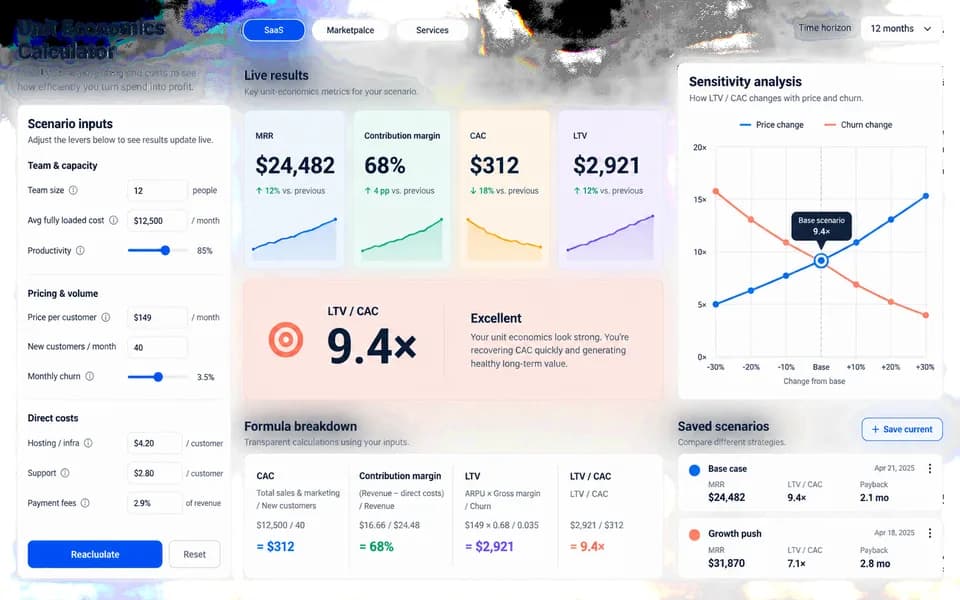
SaaS ROI calculator landing page
Launch your product with a website and an interactive ROI calculator.
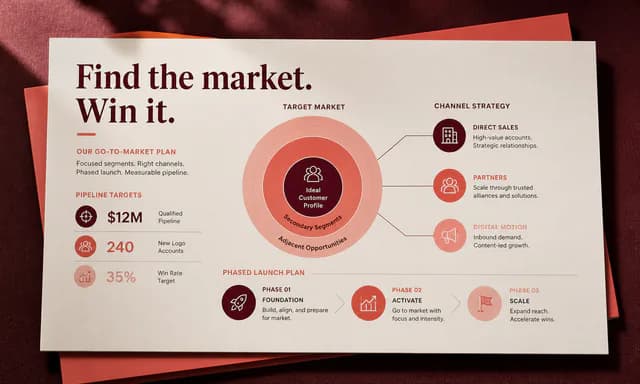
Client growth strategy deck
Present growth recommendations, costs, and a rollout plan.
Also explore SaaS landing page template with a working ROI calculator and consulting growth strategy deck template.