Working spreadsheet template
Build a sales commission tracker from your plan rules
Calculate commissions from deals, rates, and bonuses.
Make this with my informationOpens an editable creation brief. Nothing runs until you submit.
- Format
- Working spreadsheet
- Last updated
- August 31, 2026
- You bring
- 3 inputs
- By
- Huggle Editorial
The creation brief
This template is for small sales teams who still run commissions in a sheet. Huggle encodes the rules you actually pay, then leaves the math inspectable.
Creation recipe
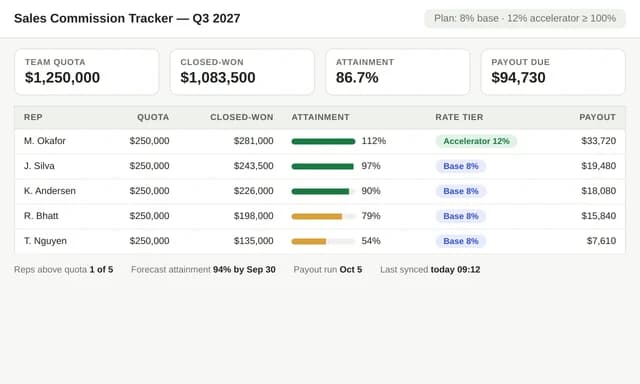
Build a sales commission tracker for a fictional three-rep team. Include a deal register, a plan-rules sheet with base rate 8% and a 10% accelerator above quota, monthly payout, and a dashboard by rep. Use fictional deals. Highlight editable rates and quotas. Do not invent SPIFFs unless listed as inputs.
What Huggle creates
- Deal register linked to plan rules
- Monthly payout by representative
- Editable rates, quotas, and accelerator
What to bring
- 01Commission rates, quotas, and any accelerator
- 02How you define a closed deal
- 03Rep names if you want them preloaded
Overview
What is a sales commission tracker?
A sales commission tracker is a spreadsheet that calculates what each representative earns from closed deals using your plan rules. Typical inputs are deal amount, close date, rate, and quota. An AI commission spreadsheet should keep rates editable so a plan change does not require rewriting every row.
What's included
What this commission spreadsheet generator builds
Deal register
Each closed deal has a rep, amount, date, and product or source. The example uses a three-rep fictional team. Your CRM export can replace the sample rows. Salesforce reports that only 37% of sellers strongly agree their CRM is fully used — this sheet is the payout layer, not a CRM replacement.
Plan rules
Base rate and accelerator live on their own sheet. The demo is 8% with 10% above quota. Change those cells, not the payout formulas.
Monthly payout
A payout sheet sums commissions by rep and month. That is the file finance can check. If you later need splits or clawbacks, ask Huggle to extend the rules instead of hiding math in a cell comment.
Dashboard
Attainment versus quota and commission owed should be visible without reading every deal. Keep SPIFFs off the sheet unless you really pay them.
Comparison
Huggle vs. a generic commission Excel template
Most downloads assume one rate and one column. This generator encodes a base rate plus an accelerator from your plan.
| Criterion | Huggle | Static template |
|---|---|---|
| Plan rules | Editable base rate, quota, and accelerator | A single hard-coded percentage |
| Deals | A register you can paste from the CRM | Ten sample rows you delete |
| Payout | Monthly totals by representative | A grand total only |
| Revision | Ask Huggle to add a split or a product rate | Fragile nested IFs |
Sources
Sources and benchmarks
- Salesforce’s State of Sales research found reps spend just 28% of their week actually selling, with the rest consumed by tasks like deal management and data entry — commission math included. Salesforce, State of Sales
How it works
From example to your finished artifact
- 01
Start from the proven recipe
Open Huggle with the complete creation brief already in the composer.
- 02
Add your context
Answer a few focused questions so the structure, content, and visual direction fit your situation.
- 03
Create and refine
Generate an editable artifact, then ask Huggle to revise it until it is ready to use.
Use the recipe
Make a version that belongs to your work.
Huggle will ask for the missing context, then create an editable spreadsheet you can keep refining.
Frequently asked questions
- What is an AI commission spreadsheet?
- It turns your compensation rules into a workbook that calculates payouts from closed deals. You still approve what gets paid.
- How do accelerators work in this template?
- The demo pays 8% up to quota and 10% above it. You set both rates and the quota. The payout sheet should apply the rule, not a rounded guess.
- Can I import deals from a CRM?
- Yes. Generate the sheet, then paste or ask Huggle to match your export columns. The agency CRM template is a source if you run pipeline in Huggle.
- Does this handle draws or clawbacks?
- Not in the default brief. Ask for a draw or clawback rule if you use one. Do not hide it in a sidebar note.
- Are the formulas real?
- The brief asks for linked payout math. Review a known deal after generation before you run payroll.
- What information do I need to bring?
- Bring rates, quotas, any accelerator, the definition of a closed deal, and rep names if you want them loaded.
- Is this a replacement for a CPQ tool?
- No. It is a transparent payout sheet for small teams. Move to CPQ when quotes and approvals need a system.
- How do I use this sales commission tracker?
- Open Huggle with the creation brief in the composer, enter your rates and quotas, and submit. Replace demo deals with closed ones.
Related templates
2 artifacts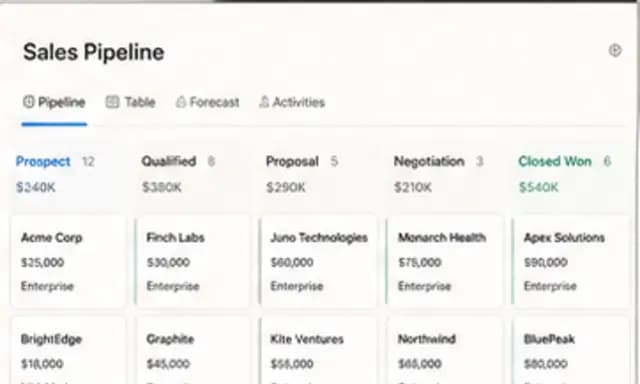
Agency CRM
Track contacts, deals, and follow-ups in a connected database.
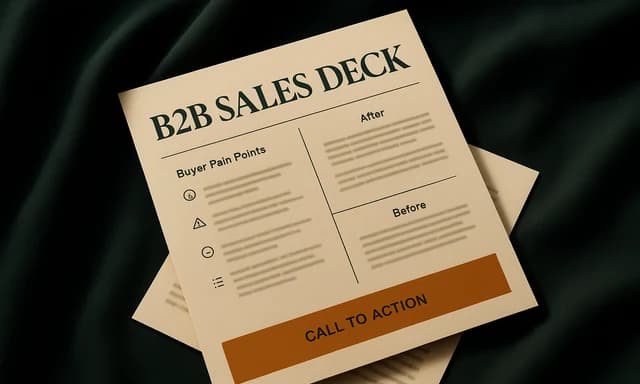
B2B sales deck
Present your product, customer results, and offer to a buyer.
Also explore agency CRM database template with pipeline views and B2B sales deck template for first calls.