Pre-launch website template
Launch a waitlist landing page that collects emails
Collect signups for your product launch.
Make this with my informationOpens an editable creation brief. Nothing runs until you submit.
- Format
- Pre-launch website
- Last updated
- August 31, 2026
- You bring
- 3 inputs
- By
- Huggle Editorial
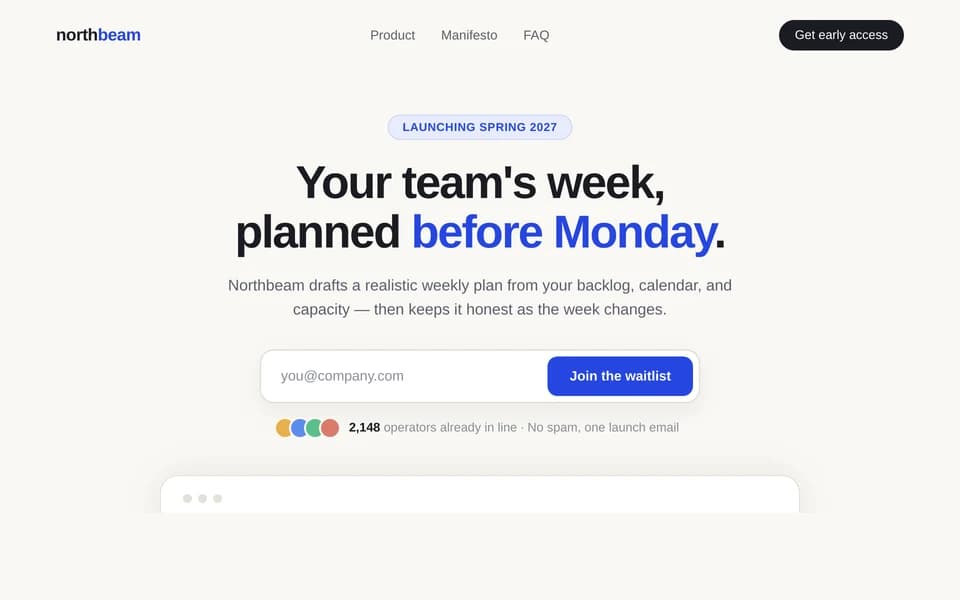
The creation brief
This template is for founders who need demand before the product is public. Huggle builds the page, the signup form, and the social-proof blocks from your teaser — then leaves the site editable.
Creation recipe
Build and publish a pre-launch waitlist landing page for ‘Harbor,’ a fictional inbox for client feedback. The audience is freelance designers who lose comments across email and Slack. Include a sharp hero with an email capture, three reasons to join, a product mock, a referral counter using clearly fictional numbers, FAQ, and a final CTA. The form should collect email and optional role. Use a dark editorial look, cream type, and a single accent. Do not invent waitlist size; label any counts as illustrative demo data.
What Huggle creates
- Responsive waitlist page with a working email capture
- Hero, proof, FAQ, and referral hook ready to personalize
- Launch story that does not invent traction metrics
What to bring
- 01Product name, audience, and the promise of the waitlist
- 02What you will send after signup
- 03Brand direction and any real proof you can show
Overview
What is a waitlist landing page?
A waitlist landing page is a pre-launch website whose only job is to collect emails before a product is public. It usually includes a hero with a signup form, a short promise, social proof, and FAQ. An AI waitlist page generator should return a live page with a working capture, not a mockup.
What's included
What this AI waitlist page generator creates
Hero and email capture
The first screen states who the waitlist is for and puts the email field above the fold. In the example, Harbor is an inbox for client feedback aimed at freelance designers. Your version should name the product, the audience, and what happens after they join. The form is a real interaction, not a screenshot of a button.
Reasons to join and product mock
Three reasons sit under the hero so the visitor has a case for giving an email. A product mock shows the shape of the thing without claiming it is generally available. Replace the fictional Harbor UI with your own preview or keep it clearly labeled as a concept.
Referral hook and FAQ
A referral counter can raise signup intent if the numbers are real or clearly illustrative. The brief forbids inventing waitlist size. FAQ answers when you will email, what you will ship, and how you handle the address. Litmus pegs email’s average return at $36 per $1 spent — the addresses this page collects are the asset.
Visual direction you can swap
The example uses a dark editorial look and a single accent. You can ask Huggle to restyle it for a brighter consumer brand or a quieter B2B teaser. The page remains a website you can publish to a URL.
Comparison
Huggle vs. a static waitlist template
Most waitlist builders give you a form and a theme. This AI waitlist page generator writes the launch story and ships a working capture on a real site.
| Criterion | Huggle | Static template |
|---|---|---|
| Starting point | A finished teaser page with hero, form, proof, and FAQ | An empty Carrd, Framer, or Mailchimp landing theme |
| Email capture | A working form generated with the page | You still wire the form to an email tool |
| Honesty | Demo waitlist counts must be labeled; no fake traction | Easy to leave placeholder “10,000 signed up” copy |
| Revision | Ask Huggle to change the promise, audience, or visual tone | Manual edits in the page builder |
Sources
Sources and benchmarks
- Litmus reports that email drives an average return of $36 for every $1 spent — higher than any other channel — which is why an email capture is the whole job of a waitlist page. Litmus, “Email Marketing ROI”
How it works
From example to your finished artifact
- 01
Start from the proven recipe
Open Huggle with the complete creation brief already in the composer.
- 02
Add your context
Answer a few focused questions so the structure, content, and visual direction fit your situation.
- 03
Create and refine
Generate an editable artifact, then ask Huggle to revise it until it is ready to use.
Use the recipe
Make a version that belongs to your work.
Huggle will ask for the missing context, then create an editable website you can keep refining.
Frequently asked questions
- What is an AI waitlist page generator?
- It creates a full pre-launch website from a brief, including the signup form and the copy around it. Huggle starts from a finished example and personalizes it with your product teaser.
- What should a waitlist landing page include?
- A hero with the promise, an email field, a few reasons to join, a product preview, FAQ, and a clear statement of what you will send later. This template is built around that outline.
- Can I connect the form to my email tool later?
- Yes. Generate the page first, then point the capture at the provider you already use, or keep collecting in Huggle while you test the story.
- Should I show a waitlist count?
- Only if the number is real or clearly marked as demo data. Invented traction is worse than no counter.
- Is the page editable after it is generated?
- Yes. The result is a fully editable website. You can revise copy, layout, or the form fields before you publish.
- What information do I need to bring?
- Bring the product name, audience, the waitlist promise, what you will email after signup, brand direction, and any proof you can actually show.
- How is this different from a SaaS marketing landing page?
- A marketing page sells a live product. A waitlist page sells a place in line. Pricing and a full walkthrough can wait; the capture cannot.
- How do I use this waitlist landing page template?
- Open Huggle with the creation brief in the composer, replace Harbor with your teaser, and submit. Review the form and the FAQ before you share the URL.
Related templates
2 artifacts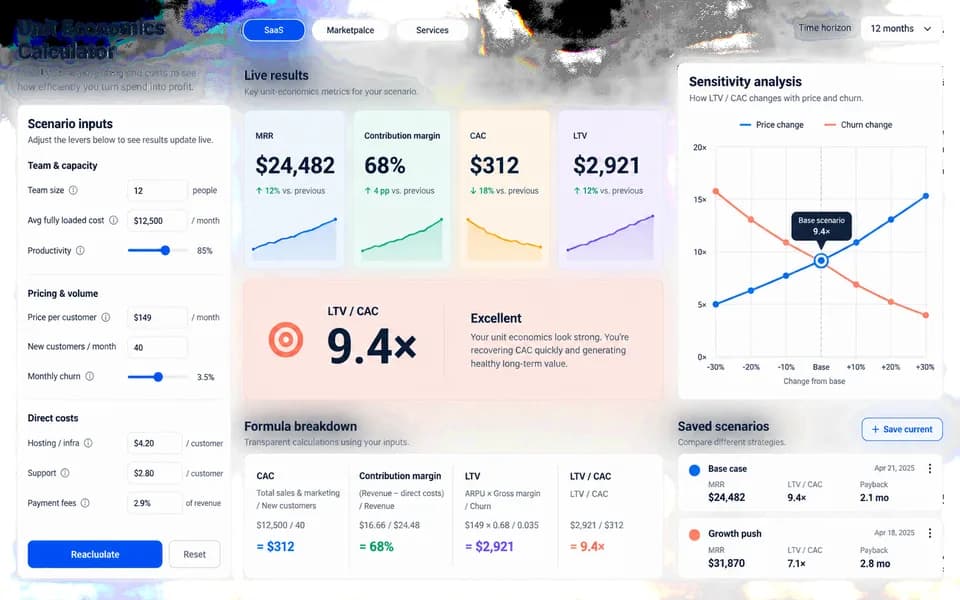
SaaS ROI calculator landing page
Launch your product with a website and an interactive ROI calculator.
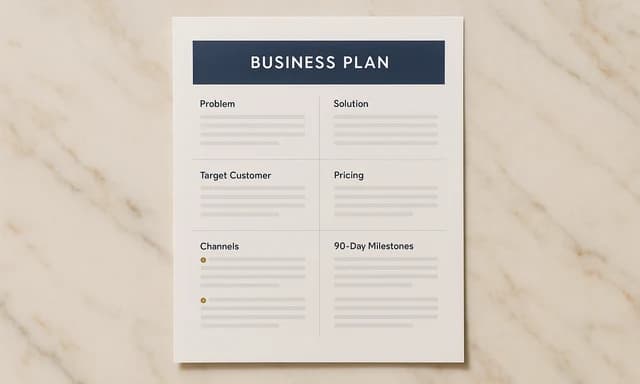
One-page business plan
Summarize your idea, customers, costs, and next steps.
Also explore SaaS landing page template with a working ROI calculator and one-page business plan template.