Hero image template
Generate an abstract hero image for a SaaS landing page
Create a wide 3D illustration with space for your website headline.
Make this with my informationOpens an editable creation brief. Nothing runs until you submit.
- Format
- Hero image
- Last updated
- September 17, 2026
- You bring
- 3 inputs
- By
- Huggle Editorial
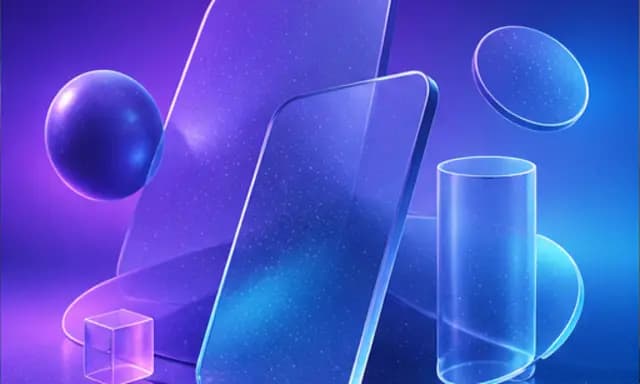
The creation brief
This template is for teams shipping a landing page that needs a hero visual without a product screenshot. Huggle renders the scene and leaves room for the copy; you pick the palette.
Creation recipe
Create a wide 16:9 abstract 3D hero image for a SaaS landing page. Floating geometric shapes — a sphere, a rounded slab, a cylinder — rendered as frosted glass with soft refraction, arranged on the right two-thirds of the frame. Purple-to-blue gradient background with subtle film grain. Keep the left third calm and low-contrast so a headline can sit over it. No text, no logos, no people.
What Huggle creates
- A 16:9 hero visual with negative space for a headline
- Frosted-glass 3D shapes on a gradient that matches your brand
- A grain texture that keeps the gradient from banding on screen
What to bring
- 01Your brand’s two main colors for the gradient
- 02Which side the headline sits on
- 03The mood: playful, technical, or premium
Overview
What is a landing page hero image?
A hero image is the large visual at the top of a landing page that sets the tone before the copy is read. When there is no product screenshot worth showing, an abstract 3D composition does the job: it signals category and mood, carries the brand palette, and leaves negative space so the headline stays the loudest element on the page.
What's included
What this AI hero image generator produces
Frosted-glass shapes
A sphere, a slab, and a cylinder rendered as glass with soft refraction. They read as technology without depicting a specific feature, which is why the style is common on infrastructure and developer-tool sites. Ask for different primitives if these are too familiar.
Gradient in your palette
Purple to blue is the default. Give Huggle your two brand colors and the gradient, the glass tint, and the highlights follow.
Negative space for copy
The prompt keeps the left third calm and low-contrast so a headline can sit over it. Flip it if your layout puts the copy on the right, or ask for a centered composition for a stacked hero.
Grain and format
Subtle film grain stops the gradient from banding on cheaper displays. 16:9 covers most desktop heroes; ask for 4:3 for the mobile crop and export both.
Comparison
Huggle vs. a stock hero illustration
Stock sites sell the same glass blobs to everyone. This prompt renders yours in your colors with the space your layout needs.
| Criterion | Huggle | Static template |
|---|---|---|
| Starting point | A rendered hero in your palette with copy space where you want it | A licensed image you crop to fit |
| Brand fit | Gradient and glass tint follow your colors | Whatever colors the artist chose |
| Layout | Negative space placed for your headline | Hope the subject is not under your copy |
| Uniqueness | Generated for you | On a hundred other landing pages |
Sources
Sources and benchmarks
- Google’s mobile benchmarks found that 53% of mobile visits are abandoned when a page takes longer than three seconds to load, which is why hero art has to be generated at the right size instead of scaled down from a poster. Think with Google, “Find out how you stack up to new industry benchmarks for mobile page speed”
How it works
From example to your finished artifact
- 01
Start from the proven recipe
Open Huggle with the complete creation brief already in the composer.
- 02
Add your context
Answer a few focused questions so the subject, copy, and visual direction fit your situation.
- 03
Create and refine
Generate the media, then ask Huggle for a different crop, palette, hook, or another take until it is ready to use.
Use the recipe
Make a version that belongs to your work.
Huggle will ask for the missing context, then create an editable image you can keep refining.
Frequently asked questions
- What is an AI hero image generator?
- It produces the large visual at the top of a landing page from a description. Huggle renders abstract 3D scenes from this prompt in your brand colors and leaves room for the headline.
- What size should a hero image be?
- Start at 16:9 for desktop, then ask for a taller crop for mobile. Export at the largest size your page needs and compress before publishing.
- Can the hero include my product?
- Yes. Attach a screenshot and ask Huggle to float it among the shapes or replace the slab with a device showing your UI.
- How do I keep the headline readable over the image?
- The prompt keeps one third of the frame calm and low-contrast. Tell Huggle which side, and keep your headline there.
- Can I change the style from glass to something else?
- Yes. Ask for matte clay, wireframe, or paper-cut shapes and the composition stays the same.
- Is the image editable after generation?
- Yes. Ask for a different palette, fewer shapes, more grain, or a version with the copy space on the other side.
- What information do I need to bring?
- Bring your two brand colors, the side your headline sits on, and the mood you want.
- How do I use this hero image template?
- Open Huggle with the prompt in the composer, set your colors and copy side, and generate. Pair it with the website templates to build the page around it.
Related templates
3 artifacts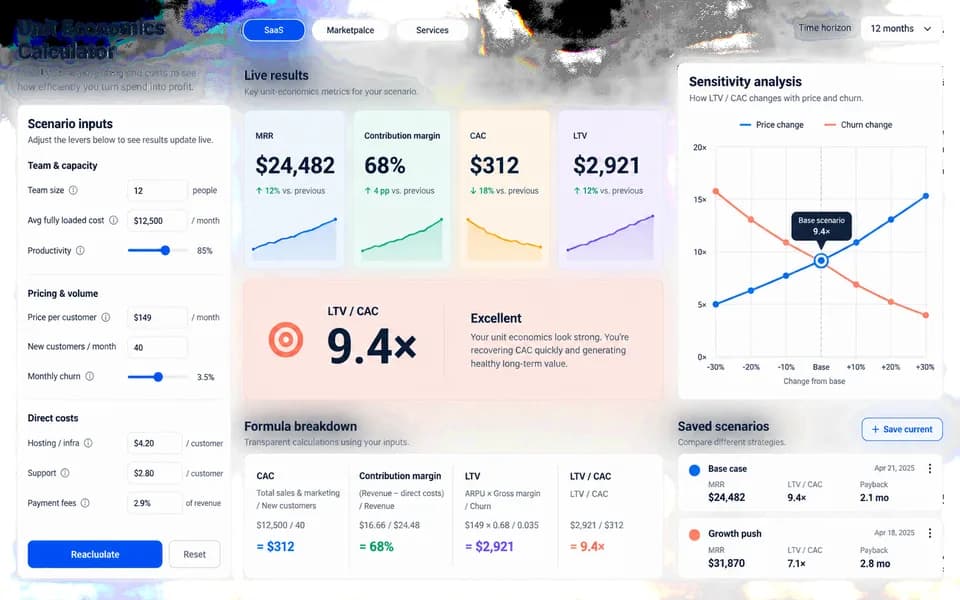
SaaS ROI calculator landing page
Launch your product with a website and an interactive ROI calculator.

SaaS ad creative
Make a product ad with a dashboard image and headline.
Product hero video
Create a studio product video for your website.
Also explore SaaS landing page template with a working ROI calculator, SaaS ad creative template with a dashboard hero and product hero video template for a homepage loop.