Website hero loop template
Create a looping product hero video for your homepage
Create a studio product video for your website.
Make this with my informationOpens an editable creation brief. Nothing runs until you submit.
- Format
- Website hero loop
- Last updated
- September 17, 2026
- You bring
- 3 inputs
- By
- Huggle Editorial
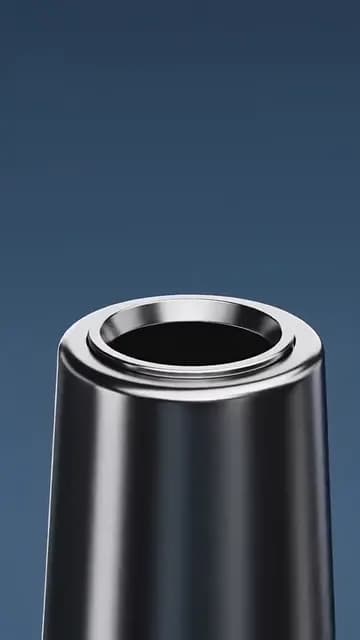
The creation brief
This template is for hardware and DTC teams who want a homepage hero that moves. Huggle directs the studio, the camera, and the settle; you bring the product and the moment it should wake up.
Creation recipe
Create a 9:16 vertical, 9-second product hero video for a website. Use the attached photo only for the exact product design. Anchor frame: an unbranded wireless speaker rests on dark stone as the camera is already making a slow 30-degree arc around it. 0–3 seconds: the arc continues, softbox reflections slide across the surface — let the physical motion be the hook. 3–6 seconds: the product’s indicator lights wake in sequence. 6–9 seconds: a subtle pulse ripples through a shallow layer of water on the stone, then the camera settles into a centered front view with clear empty space above the product for headline copy, held for the last half second. Capture: cinema camera, 50mm lens, softbox lighting with stable reflections, accurate contact shadows, slow slider movement, realistic focus falloff. No titles, captions, text, logos, or morphing.
What Huggle creates
- A 9-second studio orbit that settles into a hero composition
- Empty space above the product reserved for your headline
- Cinema-grade lighting with accurate reflections and shadows
What to bring
- 01A photo of the exact product from the front and one angle
- 02The moment it should wake up: lights, a sound, motion, or none
- 03The surface and mood: dark stone, light concrete, wood
Overview
What is a product hero video?
A product hero video is the short, silent loop at the top of a homepage or product page that replaces a static hero image. It shows the object in studio light, moves just enough to reward attention, and ends in a composition that leaves room for the headline — so the page reads as a page, not a film.
What's included
What this AI hero video generator produces
Slow studio orbit
A 30-degree arc, already in motion at frame one, with softbox reflections sliding across the surface. Slow is the point: a hero loop should reward a glance, not demand attention.
A wake-up moment
Indicator lights come on in sequence, then a pulse ripples through the water. Give Huggle the moment your product has — a light, a click, a lid — or ask for none and keep the orbit pure.
Settle under the headline
The camera ends centered and front-on with clear space above the product. The prompt reserves that space explicitly so your headline lands over the video without fighting it.
Cinema lighting
50mm lens, softbox reflections, accurate contact shadows, realistic focus falloff. The brief specifies these because they are what separate product film from product render.
Comparison
Huggle vs. a studio product shoot
A tabletop shoot is a day, a crew, and a rental. This prompt directs the same orbit from one product photo.
| Criterion | Huggle | Static template |
|---|---|---|
| Starting point | A generated studio loop of your product | A shot list and a studio booking |
| Changing the surface | Ask for concrete, wood, or white | Reset and reshoot |
| Headline space | Reserved by the prompt | Negotiated with the director |
| Variants | A second color or a second product in one conversation | Another half day |
Sources
Sources and benchmarks
- Lindgaard et al. showed that people form a stable visual judgement of a web page in about 50 milliseconds — before a single word of the headline has been read. Lindgaard, Fernandes, Dudek & Brown, Behaviour & Information Technology (2006)
How it works
From example to your finished artifact
- 01
Start from the proven recipe
Open Huggle with the complete creation brief already in the composer.
- 02
Add your context
Answer a few focused questions so the subject, copy, and visual direction fit your situation.
- 03
Create and refine
Generate the media, then ask Huggle for a different crop, palette, hook, or another take until it is ready to use.
Use the recipe
Make a version that belongs to your work.
Huggle will ask for the missing context, then create an editable video you can keep refining.
Frequently asked questions
- What is an AI product hero video generator?
- It produces a short studio loop of your product from a photo and a shot list. Huggle directs the orbit, lighting, and settle from this prompt and revises on request.
- Why is the template vertical?
- The default 9:16 works for mobile heroes and social. Ask for a 16:9 or 21:9 version for the desktop hero and use both.
- Should a hero video have sound?
- No. Browsers only autoplay muted video, and the prompt keeps the clip silent so it loops cleanly.
- How do I make it loop seamlessly?
- Ask Huggle for a version where the end frame matches the start, or keep the settle and let it fade to the first frame in your player.
- Can I use it for a software product?
- Yes. Replace the speaker with a device showing your screen, and the orbit and settle logic stays the same.
- Is the video editable after generation?
- Yes. Ask for a different surface, a faster orbit, no water effect, or a new aspect ratio in the same conversation.
- What information do I need to bring?
- Bring product photos from the front and one angle, the wake-up moment if any, and the surface and mood you want.
- How do I use this hero video template?
- Open Huggle with the shot list in the composer, attach your product photos, describe the surface, and generate. Then ask for the desktop aspect ratio.
Related templates
3 artifacts
Cinematic product reveal
Reveal your product with a moving camera and flowing ribbon.
Landing page hero image
Create a wide 3D illustration with space for your website headline.
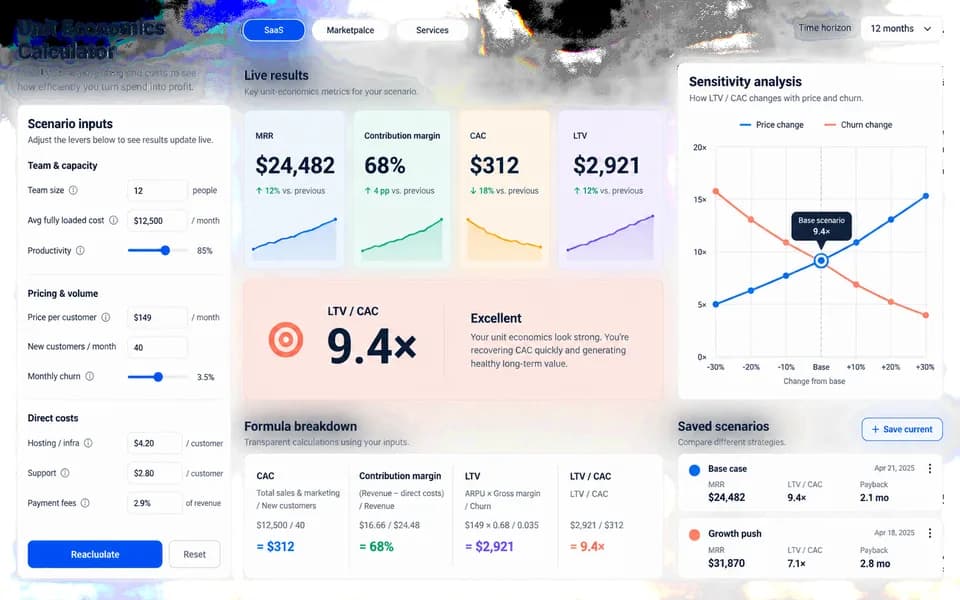
SaaS ROI calculator landing page
Launch your product with a website and an interactive ROI calculator.
Also explore cinematic product reveal video template, landing page hero image template with abstract 3D shapes and SaaS landing page template with a working ROI calculator.