Ad creative template
Create a B2B SaaS ad creative with a dashboard hero
Make a product ad with a dashboard image and headline.
Make this with my informationOpens an editable creation brief. Nothing runs until you submit.
- Format
- Ad creative
- Last updated
- September 17, 2026
- You bring
- 3 inputs
- By
- Huggle Editorial

The creation brief
This template is for growth marketers running paid social for a software product. Huggle produces the frame, the product-in-context shot, and the type; you bring the screenshot and the promise.
Creation recipe
Create a 1:1 B2B SaaS ad creative. Center a clean analytics dashboard screenshot with a revenue chart trending up, framed in a subtle glassmorphism panel that floats over a deep blue gradient background. Headline ‘Scale without hiring’ in a modern sans-serif at the top, white, one line. Small, understated CTA button ‘Start free’ at the bottom. Soft depth, no clutter, no stock photos of people, no logos other than a placeholder for the product name.
What Huggle creates
- A 1:1 paid-social creative with the product as proof
- An outcome headline and a quiet CTA in the right hierarchy
- A glassmorphism frame that reads as software, not stock art
What to bring
- 01A screenshot of your product, or a description of the screen to render
- 02The outcome headline and CTA label
- 03Brand colors and whether the tone is corporate or startup
Overview
What is SaaS ad creative?
SaaS ad creative is the static image or short video a software company runs on LinkedIn, Meta, or X to earn a click. The strongest versions show the product doing the job — a dashboard, a report, a before-and-after — under a headline that names the outcome, so the ad is proof rather than a promise.
What's included
What this AI ad creative generator produces
Product-in-context hero
A dashboard with the number going up, rendered inside a glass panel so it reads as software rather than a screenshot pasted on a color. Attach your real screen and Huggle keeps the frame.
Outcome headline
‘Scale without hiring’ names the result, not the feature. Keep yours to one line and one claim. The prompt places it at the top in white where the eye lands first.
Quiet CTA
A small ‘Start free’ button at the bottom. The button in the image is not clickable — the platform provides the real one — so the prompt keeps it understated and lets the product carry the ad.
Paid-social format
1:1 works across LinkedIn and Meta feeds. Ask for a 4:5 or 9:16 version of the same creative for Instagram and Stories once the first one is approved.
Comparison
Huggle vs. a stock ad template
Stock templates hand you a layout and a smiling model. This prompt renders your product as the hero.
| Criterion | Huggle | Static template |
|---|---|---|
| Starting point | A finished creative with your dashboard framed and lit | A layout with a stock photo to replace |
| Proof | Your product screen is the hero | Generic imagery unrelated to the product |
| Iteration | Ask for five headline variants in one conversation | Duplicate and edit each file |
| Consistency | Same frame, palette, and type across every variant | Drifts as designs are copied |
Sources
Sources and benchmarks
- Nielsen Catalina Solutions found that creative quality accounts for 47% of an ad campaign’s sales lift — more than targeting, reach, and recency combined. Nielsen, “When It Comes to Advertising Effectiveness, What Is Key?”
How it works
From example to your finished artifact
- 01
Start from the proven recipe
Open Huggle with the complete creation brief already in the composer.
- 02
Add your context
Answer a few focused questions so the subject, copy, and visual direction fit your situation.
- 03
Create and refine
Generate the media, then ask Huggle for a different crop, palette, hook, or another take until it is ready to use.
Use the recipe
Make a version that belongs to your work.
Huggle will ask for the missing context, then create an editable image you can keep refining.
Frequently asked questions
- What is an AI ad creative generator?
- It produces finished ad images from a description of the product and the message. Huggle renders the frame, hero, and type from this prompt and revises on request.
- Can I use a real screenshot of my product?
- Yes, and you should. Attach it and ask Huggle to keep the UI exact while placing it in the glass frame.
- What sizes do I need for paid social?
- 1:1 for LinkedIn and Meta feeds, 4:5 for Instagram feed, 9:16 for Stories and Reels. Generate the square first, then ask for the others.
- Should the headline be in the image or the ad copy?
- Both. Put the outcome in the image so it works muted and scrolled past; put the detail in the platform’s text fields.
- Is the CTA button in the image clickable?
- No. The platform provides the real button. The rendered CTA is a visual cue, which is why the prompt keeps it small.
- Can I generate variants for testing?
- Yes. Ask for different headlines, palettes, or dashboard states in the same conversation and run them as separate ads.
- What information do I need to bring?
- Bring a product screenshot or a description of the screen, the outcome headline and CTA label, and your brand colors.
- How do I use this ad creative template?
- Open Huggle with the prompt in the composer, attach your screenshot, describe the headline, and generate. Iterate until the ad reads in a scroll.
Related templates
3 artifacts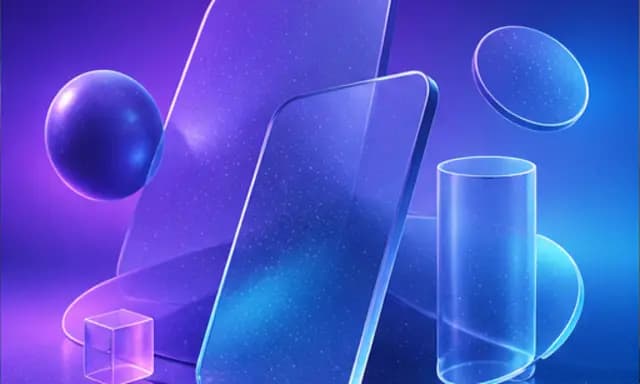
Landing page hero image
Create a wide 3D illustration with space for your website headline.
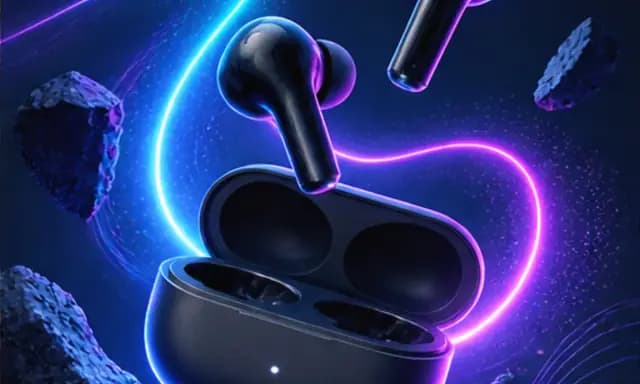
Product launch graphic
Announce your product with a square graphic and headline.

Problem-solution hook ad
Show a problem and how your product solves it in a vertical ad.
Also explore landing page hero image template with abstract 3D shapes, product launch graphic template for Instagram and problem-solution hook ad template for UGC-style video.