Social graphic template
Create a product launch graphic for Instagram
Announce your product with a square graphic and headline.
Make this with my informationOpens an editable creation brief. Nothing runs until you submit.
- Format
- Social graphic
- Last updated
- September 17, 2026
- You bring
- 3 inputs
- By
- Huggle Editorial
The creation brief
This template is for founders and marketers announcing something new on Instagram, LinkedIn, or X. Huggle generates the composition, lighting, and headline placement; you bring the product and the words.
Creation recipe
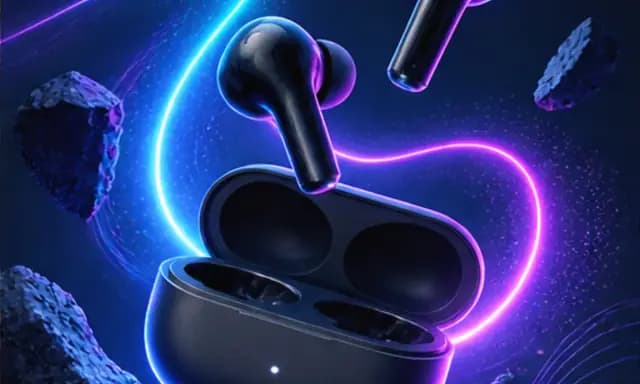
Create a square 1:1 Instagram carousel cover announcing the launch of a new pair of wireless earbuds. Dark charcoal background, the earbuds floating slightly off-center with a soft neon glow and a subtle shadow below. Large ‘NOW AVAILABLE’ headline in a clean geometric sans-serif, high contrast, with safe margins for Instagram’s UI. No extra text, watermarks, or logos beyond the headline.
What Huggle creates
- A 1:1 launch graphic with the product as the hero
- One legible headline placed inside platform-safe margins
- Lighting and background tuned for a dark, premium feel
What to bring
- 01The product, or a photo of it, and what it is called
- 02The one line you want on the graphic
- 03Brand colors, if the default dark-and-neon palette is not yours
Overview
What is a product launch graphic?
A product launch graphic is a single social image that announces something new: the product as the hero, one line of copy, and a background that makes both read instantly in a feed. It is usually the cover of a carousel or the first post in a launch sequence, so it has one job — stop the scroll and say what shipped.
What's included
What this AI launch graphic generator produces
Hero product placement
The prompt positions the product slightly off-center with room for the headline, floating rather than sitting, so it reads as an object worth looking at instead of a catalog cutout. Replace the earbuds with your product and Huggle keeps the same composition logic.
Lighting and background
Dark background, soft neon rim light, a grounded shadow. This is the default because it photographs almost any product well and survives compression in a feed. If your brand is light and airy, say so — the composition holds, the palette changes.
One legible headline
The brief asks for exactly one line in a geometric sans-serif with high contrast and platform-safe margins. Generated text is the most fragile part of any image, so the prompt keeps it short and demands legibility. Swap ‘NOW AVAILABLE’ for your own line.
Feed-ready format
Square 1:1 for Instagram and LinkedIn, with nothing important in the corners. Ask Huggle for a 4:5 or 9:16 variant of the same image once the first one is right, and use the set as a carousel or story.
Comparison
Huggle vs. a Canva launch template
Drag-and-drop templates give you a layout you fill; this prompt gives you a finished picture you edit.
| Criterion | Huggle | Static template |
|---|---|---|
| Starting point | A generated graphic with your product already lit and placed | A layout with a placeholder image and sample text |
| Product photography | Rendered in the scene with matching light and shadow | Your existing photo dropped on a background |
| Variations | Ask for three palettes or a 9:16 version in the same chat | Duplicate the design and resize by hand |
| Where it lives | In your Huggle workspace next to the launch page and deck | In a separate design tool |
Sources
Sources and benchmarks
- MIT neuroscientists found that the human brain can identify an image seen for as little as 13 milliseconds, which is roughly how long a graphic gets before someone decides whether to stop scrolling. MIT News, “In the blink of an eye”
How it works
From example to your finished artifact
- 01
Start from the proven recipe
Open Huggle with the complete creation brief already in the composer.
- 02
Add your context
Answer a few focused questions so the subject, copy, and visual direction fit your situation.
- 03
Create and refine
Generate the media, then ask Huggle for a different crop, palette, hook, or another take until it is ready to use.
Use the recipe
Make a version that belongs to your work.
Huggle will ask for the missing context, then create an editable image you can keep refining.
Frequently asked questions
- What is an AI product launch graphic generator?
- It turns a description of your product and headline into a finished social image. Huggle generates the scene, lighting, and text placement from this prompt and lets you revise in the same conversation.
- What size should a launch graphic be?
- 1:1 works on Instagram, LinkedIn, and X. Ask for 4:5 if you want more feed height on Instagram, or 9:16 for stories. The prompt starts square.
- Can I use my own product photo?
- Yes. Attach it and tell Huggle to keep the exact product design. The prompt will place and light it within the composition.
- Will the headline text be legible?
- The prompt keeps text to one short line in a clean sans-serif at high contrast, which is the most reliable way to get legible generated type. Check spelling before posting.
- Can I change the dark palette?
- Yes. Say what your brand colors are and whether the background should be light or dark. The composition stays the same.
- Is the image editable after generation?
- Yes. Ask for a tighter crop, a different glow color, no shadow, or the same scene with new copy. Each revision stays in your workspace.
- What information do I need to bring?
- Bring the product, the line you want on the graphic, and your brand colors if the default palette is not yours.
- How do I use this launch graphic template?
- Open Huggle with the prompt in the composer, describe your product and headline, and generate. Then ask for the variants you need.
Related templates
3 artifacts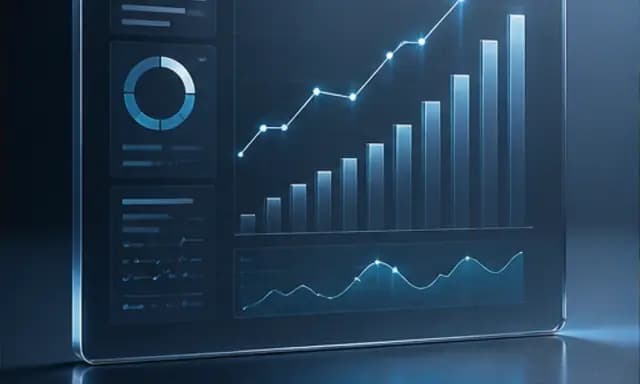
SaaS ad creative
Make a product ad with a dashboard image and headline.
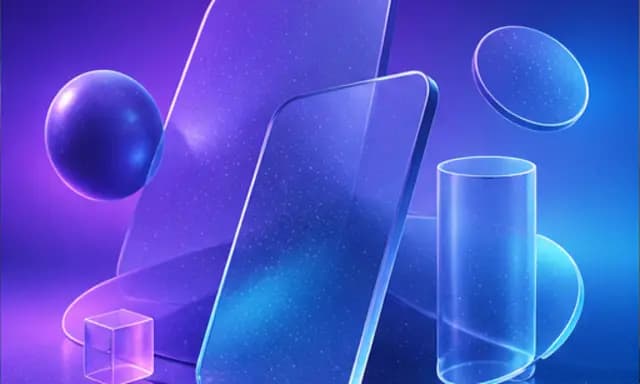
Landing page hero image
Create a wide 3D illustration with space for your website headline.
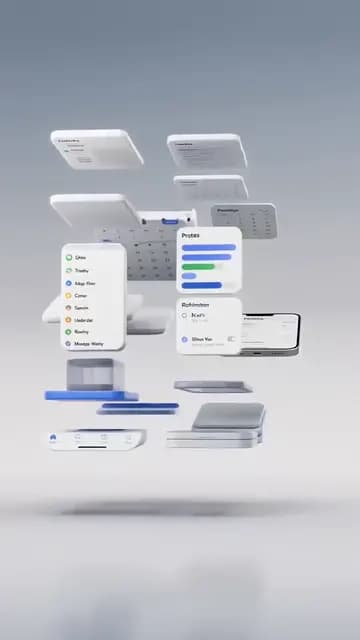
App demo ad
Show an app workflow in a vertical video ad.
Also explore SaaS ad creative template with a dashboard hero, landing page hero image template with abstract 3D shapes and app demo ad template for TikTok and Reels.