Vertical ad template
Create a vertical app demo ad for TikTok and Reels
Show an app workflow in a vertical video ad.
Make this with my informationOpens an editable creation brief. Nothing runs until you submit.
- Format
- Vertical ad
- Last updated
- September 17, 2026
- You bring
- 3 inputs
- By
- Huggle Editorial
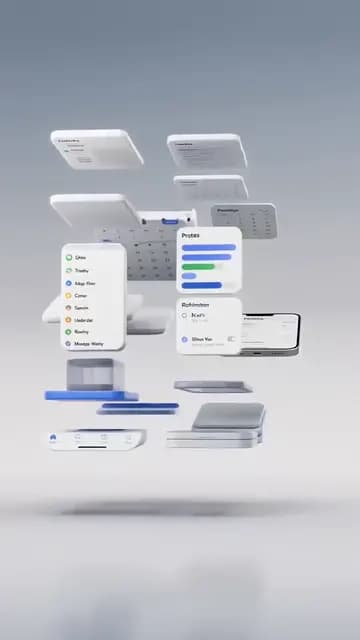
The creation brief
This template is for founders and growth teams who need a product-led short ad without shooting anything. Huggle directs the sequence and continuity; you bring the screens and the one workflow worth showing.
Creation recipe
Create a 9:16 vertical, 10-second video ad for a mobile app. Anchor frame: a set of clean app screens floats in soft studio light, already mid-motion, one screen centered and in focus. 0–3 seconds: the screens drift into place and the centered one taps through a single clear workflow — let the interaction be the hook. 3–7 seconds: hold each tap long enough to understand, the surrounding screens react in sync. 7–10 seconds: the finished state lands centered and holds for the last half second. Camera: slow, stable, slight parallax. Audio: real taps, quiet room tone. Keep the app’s layout, icons, and colors exactly consistent across every shot. No titles, captions, fake text, random b-roll, or morphing.
What Huggle creates
- A 10-second 9:16 ad that opens mid-action
- One product workflow shown tap by tap with consistent UI
- A held end frame ready for the platform’s CTA overlay
What to bring
- 01Screenshots of the app screens in the workflow
- 02The one job the ad should show the app doing
- 03Brand colors and whether the scene is light or dark
Overview
What is an app demo ad?
An app demo ad is a short vertical video that shows the product doing one job from the first frame — no logo sting, no title card, just the screen and the result. It is the workhorse format for app installs on TikTok, Reels, and Shorts because viewers decide in the first second whether they are watching a product or an advert.
What's included
What this AI app demo generator produces
Mid-action anchor frame
The clip opens with screens already in motion and one workflow already under way. The prompt bans title cards because the first second is the hook, and the hook is the product.
Tap-by-tap pacing
Each interaction is held long enough to understand — the prompt says so explicitly, because rushed demos read as fake. Give Huggle the real screens and the sequence, and it keeps the taps landing on visible controls.
UI continuity
Layout, icons, and colors stay identical across shots. This is the hardest part of generated product video and the reason the brief spells it out. Attach your screenshots so the model has the source.
Held end frame
The finished state lands centered and holds for the last half second, leaving room for the platform’s CTA button and your caption. No burned-in text, so the same clip works in every placement.
Comparison
Huggle vs. a screen-recording template
Screen-recording kits give you a phone frame and a timeline. This prompt directs the whole clip from your screenshots.
| Criterion | Huggle | Static template |
|---|---|---|
| Starting point | A generated 9:16 clip with your screens already moving | An empty device mockup and an editing timeline |
| Footage | Rendered from screenshots — nothing to record | You record the phone and clean up the capture |
| Variants | Ask for a different workflow or a dark scene | Re-record and re-edit |
| Continuity | Enforced by the prompt | Depends on your capture |
Sources
Sources and benchmarks
- A Nielsen study commissioned by Meta found that up to 47% of a video campaign’s value is delivered in the first three seconds, which is why every vertical ad template here opens mid-action. Meta for Business, “The Value of Video for Brands”
How it works
From example to your finished artifact
- 01
Start from the proven recipe
Open Huggle with the complete creation brief already in the composer.
- 02
Add your context
Answer a few focused questions so the subject, copy, and visual direction fit your situation.
- 03
Create and refine
Generate the media, then ask Huggle for a different crop, palette, hook, or another take until it is ready to use.
Use the recipe
Make a version that belongs to your work.
Huggle will ask for the missing context, then create an editable video you can keep refining.
Frequently asked questions
- What is an AI app demo ad generator?
- It produces a short vertical product video from your screenshots and a description of the workflow. Huggle directs the sequence from this prompt and revises on request.
- How long should an app demo ad be?
- Six to fifteen seconds for TikTok, Reels, and Shorts. The prompt starts at ten and holds the result at the end; ask for a shorter cut if you need one.
- Do I need real screenshots?
- Yes. Attach the screens in the workflow so the UI stays consistent across shots. Huggle uses them as the reference for every frame.
- Can the ad include a voiceover or captions?
- The prompt keeps the clip clean so it works in every placement. Add captions in the platform’s editor, or ask Huggle for a version with a spoken line.
- Can I show more than one feature?
- You can, but one workflow per ad performs better. Generate a second clip for the second feature and run them as separate ads.
- Is the video editable after generation?
- Yes. Ask for a slower tap sequence, a different end frame, a light background, or a 1:1 crop in the same conversation.
- What information do I need to bring?
- Bring screenshots of the workflow, the one job the ad should show, and your brand colors.
- How do I use this app demo ad template?
- Open Huggle with the shot list in the composer, attach your screens, describe the workflow, and generate. Iterate until the taps read clearly.
Related templates
3 artifacts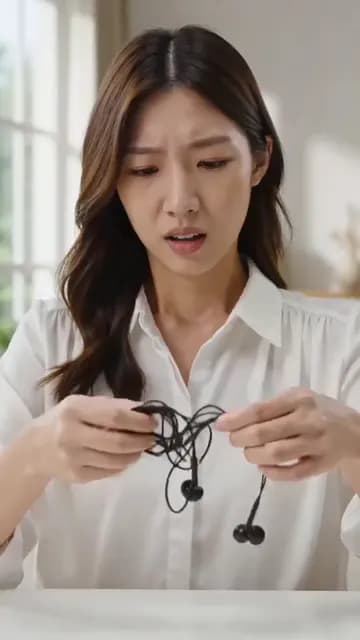
Problem-solution hook ad
Show a problem and how your product solves it in a vertical ad.
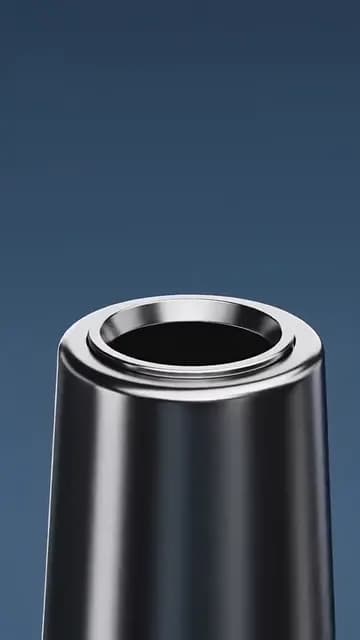
Product hero video
Create a studio product video for your website.
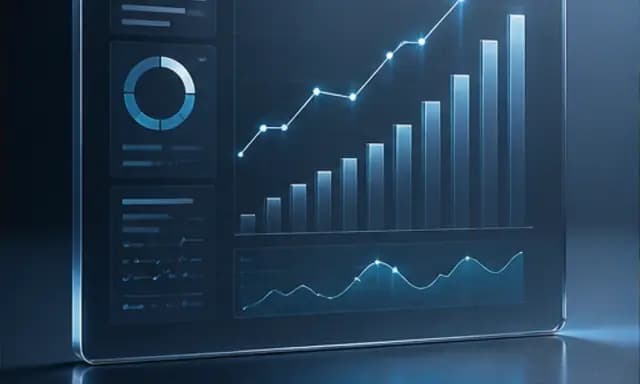
SaaS ad creative
Make a product ad with a dashboard image and headline.
Also explore problem-solution hook ad template for UGC-style video, product hero video template for a homepage loop and SaaS ad creative template with a dashboard hero.