UGC-style ad template
Create a problem-solution hook ad shot on a phone
Show a problem and how your product solves it in a vertical ad.
Make this with my informationOpens an editable creation brief. Nothing runs until you submit.
- Format
- UGC-style ad
- Last updated
- September 17, 2026
- You bring
- 3 inputs
- By
- Huggle Editorial
The creation brief
This template is for DTC and consumer-app teams who need UGC-style ads at volume. Huggle directs the hook, the proof shot, and the reaction; you bring the product and the creator reference.
Creation recipe
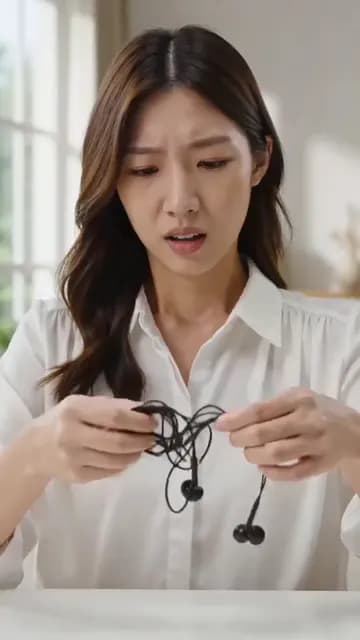
Create a 9:16 vertical, 10-second creator-style video shot on a phone. Use the attached photos only for the creator’s exact identity and the exact product, packaging, and colors. Anchor frame: the creator is already at a desk untangling a hopeless knot of wired earbuds, mid-action, ordinary window light. 0–3 seconds: close on the tangle, the creator opens with one spoken line: “if your mornings start like this, wait.” 3–7 seconds: cut to the product — a wireless case — opening in the same hand, the earbuds lifted out and worn in one move. 7–10 seconds: hold the small, believable reaction for the last half second. Capture: rear phone camera at 1x, handheld with slight micro-shake, natural room tone and only the sounds of the demonstration. No titles, captions, fake text, random b-roll, or morphing.
What Huggle creates
- A 10-second 9:16 clip with a hook in the first second
- A problem shot, a product proof shot, and a held reaction
- Handheld phone realism with continuity across all three beats
What to bring
- 01A photo of the creator and a photo of the exact product
- 02The relatable problem the product solves
- 03The one spoken line that opens the clip
Overview
What is a problem-solution hook ad?
A problem-solution hook ad is the simplest UGC format that works: a creator shows a frustrating moment, says one line about it, cuts to the product making it go away, and reacts. It succeeds because the first frame is a problem the viewer recognizes rather than a brand, and because the proof is shown, not claimed.
What's included
What this AI UGC ad generator produces
The problem, mid-action
The clip opens on the tangle, not on the creator introducing themselves. The prompt puts the frustration in frame one and the spoken hook over it, because the first three seconds carry most of an ad’s value.
The proof shot
Same hand, same light, same desk: the product appears and solves it in one move. Continuity is what makes the fix believable. Attach your product photo so the packaging, colors, and geometry stay exact.
The held reaction
Small and believable — the creator watches the result, not the camera. The prompt asks for a half-second hold at the end so the platform CTA has something to land on.
Phone-camera realism
Rear camera at 1x, handheld micro-shake, natural room tone, only the sounds of the demonstration. No titles, no b-roll, no morphing. The brief bans the things that make generated UGC look generated.
Comparison
Huggle vs. briefing a UGC creator
Creator marketplaces take days and a shipment. This prompt produces the same three-beat structure from a photo and a line.
| Criterion | Huggle | Static template |
|---|---|---|
| Starting point | A generated clip with your product and hook already in it | A brief, a shipment, and a wait |
| Iterating the hook | Ask for three opening lines and compare | Re-brief and re-shoot |
| Consistency | Same creator, product, and light in every take | Varies by creator and day |
| Volume | Generate a problem-solution ad per product | One creator, one product, one video |
Sources
Sources and benchmarks
- A Nielsen study commissioned by Meta found that up to 47% of a video campaign’s value is delivered in the first three seconds, which is why every vertical ad template here opens mid-action. Meta for Business, “The Value of Video for Brands”
How it works
From example to your finished artifact
- 01
Start from the proven recipe
Open Huggle with the complete creation brief already in the composer.
- 02
Add your context
Answer a few focused questions so the subject, copy, and visual direction fit your situation.
- 03
Create and refine
Generate the media, then ask Huggle for a different crop, palette, hook, or another take until it is ready to use.
Use the recipe
Make a version that belongs to your work.
Huggle will ask for the missing context, then create an editable video you can keep refining.
Frequently asked questions
- What is an AI UGC ad generator?
- It produces creator-style vertical video from a description and reference photos. Huggle directs the hook, proof, and reaction from this prompt and revises on request.
- Do I need a real creator?
- You need a reference photo for the creator’s identity. That can be a team member, a licensed model, or a generated persona you own.
- How do I write the spoken hook?
- Name the problem in one sentence the viewer would say themselves, and end on a reason to keep watching. The prompt’s example is “if your mornings start like this, wait.”
- Can the product be a service or an app?
- Yes. Replace the earbuds beat with the app on a phone screen and keep the same problem–proof–reaction structure.
- Why no captions or titles?
- Burned-in text breaks when platforms crop or overlay their own UI, and generated text is unreliable. Add captions in the platform editor instead.
- Is the video editable after generation?
- Yes. Ask for a different problem shot, a longer hold on the reaction, a new opening line, or another take with the same setup.
- What information do I need to bring?
- Bring a creator photo, a product photo, the problem the product solves, and the opening line.
- How do I use this hook ad template?
- Open Huggle with the shot list in the composer, attach your references, replace the earbuds problem with yours, and generate.
Related templates
3 artifacts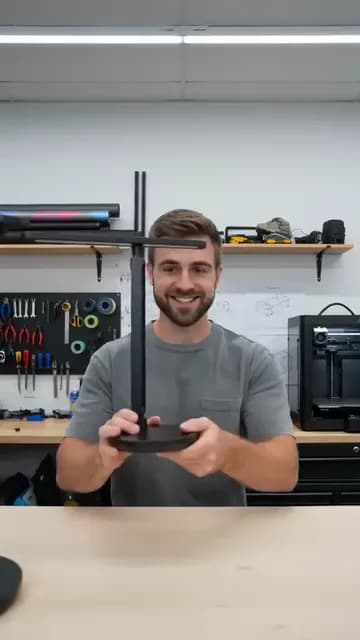
Founder explains the product
Create a vertical video of a founder demonstrating a product.
Unboxing POV
Show your product being unboxed from a first-person view.
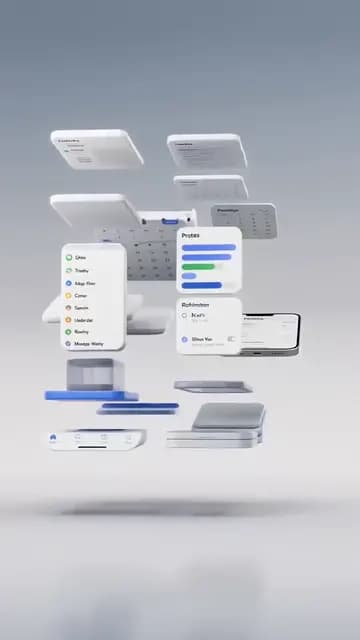
App demo ad
Show an app workflow in a vertical video ad.
Also explore founder explains the product video template, unboxing POV video template and app demo ad template for TikTok and Reels.