Social clip template
Create a first-person unboxing video
Show your product being unboxed from a first-person view.
Make this with my informationOpens an editable creation brief. Nothing runs until you submit.
- Format
- Social clip
- Last updated
- September 17, 2026
- You bring
- 3 inputs
- By
- Huggle Editorial
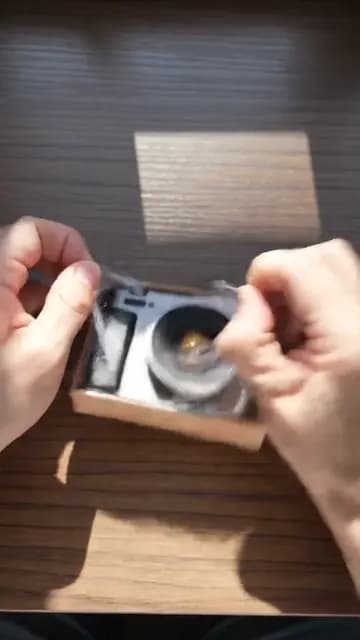
The creation brief
This template is for ecommerce brands and product launches that want the unboxing moment without waiting for creators to post it. Huggle directs the hands, the parcel, and the reveal; you bring the product.
Creation recipe
Create a 9:16 vertical, 8-second first-person unboxing video. Use the attached photo only for the exact product. Anchor frame: hands at a sunlit wooden desk are already lifting the lid of a minimal kraft parcel, mid-action. 0–3 seconds: the lid comes off, tissue paper folds back, the product is revealed nested inside — let the reveal be the hook. 3–6 seconds: hands lift the product out slowly, turn it once so the light catches its surface. 6–8 seconds: the product settles in the palm, centered, and holds for the last half second. Capture: native phone footage, slight handheld movement, warm window light, the real sounds of cardboard and paper. Keep the product, hands, desk, and light identical across every shot. No titles, captions, fake text, or morphing.
What Huggle creates
- An 8-second 9:16 POV clip with the reveal as the hook
- Tactile, satisfying motion from lid to palm
- Warm phone-footage realism with consistent product and light
What to bring
- 01A photo of the exact product and its packaging, if any
- 02The surface and light you want: desk, kitchen, doorstep
- 03Whether the product should be turned, opened, or switched on
Overview
What is an unboxing POV video?
An unboxing POV video is a short first-person clip of hands opening a package and revealing the product inside, shot as though the viewer is doing it. It works because anticipation is built into the format — lid, tissue, reveal — and because the product is shown at the scale and in the light a customer will actually meet it.
What's included
What this AI unboxing generator produces
Reveal as the hook
The lid is already lifting in frame one. Tissue folds back, the product appears — the prompt makes the reveal the first beat rather than the payoff, because the scroll decision happens before the payoff.
Tactile motion
Slow lift, one turn to catch the light, settle in the palm. The brief asks for satisfying rather than fast, and for the real sounds of cardboard and paper instead of music.
Product fidelity
Attach a photo and the prompt uses it only for the exact product, keeping it identical from tissue to palm. Packaging can be your real box or the minimal kraft default.
Warm phone realism
Native phone footage, window light, slight handheld movement. No titles or captions, so the clip works as a Reel, a product-page loop, or a story.
Comparison
Huggle vs. waiting for creator unboxings
Real unboxings arrive when creators post them. This prompt produces the moment on launch day, in your light, with your packaging.
| Criterion | Huggle | Static template |
|---|---|---|
| Starting point | A generated POV clip of your product being revealed | Seeded product and a hope it gets filmed |
| Timing | Ready before launch | Weeks after shipping |
| Control | Your packaging, surface, and light | The creator’s kitchen counter |
| Variants | Ask for a doorstep, a desk, and a gift version | One video per creator |
Sources
Sources and benchmarks
- Wyzowl’s annual survey found that 91% of businesses use video as a marketing tool, and 82% of consumers say a video has convinced them to buy a product or service. Wyzowl, Video Marketing Statistics 2024
How it works
From example to your finished artifact
- 01
Start from the proven recipe
Open Huggle with the complete creation brief already in the composer.
- 02
Add your context
Answer a few focused questions so the subject, copy, and visual direction fit your situation.
- 03
Create and refine
Generate the media, then ask Huggle for a different crop, palette, hook, or another take until it is ready to use.
Use the recipe
Make a version that belongs to your work.
Huggle will ask for the missing context, then create an editable video you can keep refining.
Frequently asked questions
- What is an AI unboxing video generator?
- It produces a first-person unboxing clip from a photo of your product and a description of the scene. Huggle directs the reveal from this prompt and revises on request.
- Can I use my real packaging?
- Yes. Attach a photo of the box and ask Huggle to keep it exact. The default is a minimal kraft parcel.
- How long should an unboxing clip be?
- Six to ten seconds for social. The prompt starts at eight; ask for a longer version if the product has parts to lay out.
- Whose hands are in the video?
- Generated hands by default. Attach a photo if you want a specific skin tone, jewelry, or nail style kept consistent.
- Can I use the clip on a product page?
- Yes. The clean, caption-free format loops well as a product-page hero. Ask for a 1:1 or 4:5 crop for the layout.
- Is the video editable after generation?
- Yes. Ask for a different surface, cooler light, a slower lift, or a version where the product switches on at the end.
- What information do I need to bring?
- Bring a photo of the product and packaging, the surface and light you want, and what the hands should do with the product.
- How do I use this unboxing template?
- Open Huggle with the shot list in the composer, attach your product photo, describe the scene, and generate.
Related templates
3 artifacts
Cinematic product reveal
Reveal your product with a moving camera and flowing ribbon.

Problem-solution hook ad
Show a problem and how your product solves it in a vertical ad.
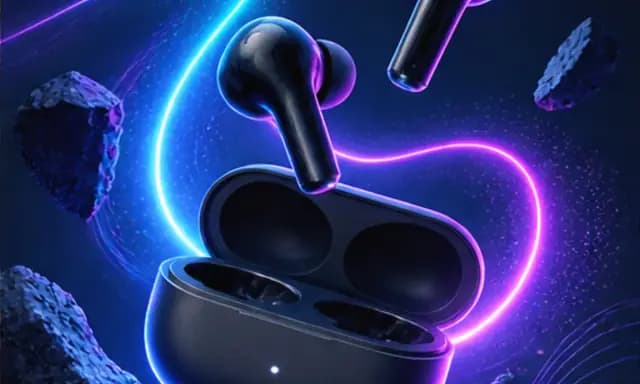
Product launch graphic
Announce your product with a square graphic and headline.
Also explore cinematic product reveal video template, problem-solution hook ad template for UGC-style video and product launch graphic template for Instagram.